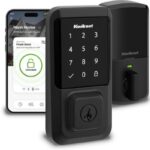
You bought a smart bulb from one brand, a smart lock from another, and a thermostat from a third. They all work fine in their own apps. But they won’t talk to each other, they won’t trigger each other, and building a single automation that involves all three feels like a part-time job.
This is the connectivity problem and it’s the most common frustration in smart home setups.
The good news: it’s completely solvable. The reason your devices don’t communicate isn’t bad luck or incompatible hardware — it’s that they’re speaking different languages. Zigbee, Z-Wave, Wi-Fi, Thread, Matter these are the protocols that smart home devices use to communicate, and understanding which ones your devices use is the key to making everything work together.
This guide explains every major protocol, how smart home hubs bring them together, and how to choose the right setup for your home.
Why Connectivity Is the Foundation of Every Smart Home
Think of your smart home like a team. You can have the best players in the world the most advanced thermostat, the most reliable lock, the most responsive lighting but if they can’t communicate with each other, you don’t have a team. You have a collection of individuals.
Connectivity is what turns a collection of smart devices into a smart home.
Without it, you control each device in its own app, on its own schedule, with no awareness of what the other devices are doing. The lock doesn’t know the camera just detected motion. The thermostat doesn’t know everyone just left for work. The lights don’t know the sun set 20 minutes ago.
With proper connectivity the right protocols, the right hub, and the right ecosystem — all of that changes. Devices share information. One event triggers another. Automations run across brands and device types. Your home starts operating as a coordinated system rather than a set of disconnected gadgets.
The Three Layers of Smart Home Connectivity
Layer 1
The Protocol The language a device uses to communicate wirelessly. Wi-Fi, Zigbee, Z-Wave, Thread, and Bluetooth are the main protocols. Each has different range, power requirements, and compatibility characteristics.
Layer 2
The Hub (or Bridge) The coordinator that speaks multiple protocols and translates between them. A hub allows a Zigbee light to respond to a Z-Wave motion sensor, for example — because the hub understands both languages.
Layer 3
The Ecosystem The software platform (Amazon Alexa, Google Home, Apple HomeKit, or a dedicated hub platform like Hubitat) that brings your devices together into a unified interface where you can build automations, set schedules, and issue voice commands.
Get all three layers right, and your smart home operates exactly the way you imagined. Get one wrong, and you’re back to managing separate apps.
The Four Main Smart Home Protocols Explained
Protocol confusion is the number one reason smart home setups fail. Here’s a plain-English breakdown of every major protocol and when each one makes sense.
WiFi – The Familiar One
Wi-Fi devices connect directly to your home router, the same way your phone and laptop do. No hub required. Setup is usually fast — download an app, connect to Wi-Fi, done.
The advantages:
- No hub needed works out of the box with your existing router
- Fast response times for video heavy applications (cameras, video doorbells)
- Easy to set up; familiar to most users
- Works with Alexa, Google Home, and HomeKit without additional hardware
The trade offs:
- Each WiFi device adds load to your router; large numbers of devices can degrade network performance
- Higher power consumption than mesh protocols most Wi-Fi devices need to be plugged in or have frequent battery changes
- WiFi devices typically don’t form a mesh, so they’re dependent on a strong signal from your router
Best for: Video doorbells, cameras, smart speakers, smart displays, and devices where fast video streaming matters. Also ideal for smart home beginners who want to start without buying a hub.
Zigbee – The Mesh Protocol Built for Scale
Zigbee is a low power, mesh-networking protocol designed specifically for smart home devices. Unlike Wi-Fi, Zigbee devices don’t connect directly to your router. They connect to a hub, and then communicate with each other forming a mesh network where each device can relay signals for other devices nearby.
The advantages:
- Mesh networking – range increases as you add more devices; a Zigbee network with 10+ devices rarely has dead spots
- Very low power consumption – most Zigbee sensors run for 1-3 years on a single CR2032 battery
- Handles many devices well – a single Zigbee network can support 50–100+ devices without performance degradation
- Fast response – Zigbee commands typically execute in under 100 milliseconds
The trade offs:
- Requires a hub (Hubitat, SmartThings, Aeotec, or a dedicated Zigbee coordinator)
- Slightly more complex setup than Wi-Fi
- Zigbee operates on the 2.4GHz band the same band as Wi-Fi and Bluetooth which can cause interference in dense wireless environments
Best for: Lighting systems (especially multi-room setups), sensors (motion, door, window, temperature), and any device where battery life and scale matter. Philips Hue, IKEA Tradfri, and many Aqara devices use Zigbee.
Z-Wave – The Premium Mesh Protocol
Z-Wave is similar to Zigbee in concept a low-power mesh protocol that connects through a hub but it operates on a different frequency (sub-GHz, around 908 MHz in the US), which gives it distinct advantages.
The advantages:
- No interference with Wi-Fi – operates on a separate frequency band entirely, so a busy Wi-Fi network won’t affect Z-Wave performance
- Longer range per device – Z-Wave signals travel further than Zigbee signals before needing a relay, which matters in larger homes
- Strict certification – every Z-Wave device must pass interoperability testing, so Z-Wave devices from different manufacturers are highly reliable at working together
- Up to 232 devices per network
The trade offs:
- Typically more expensive than Zigbee equivalents
- Also requires a hub
- Slower maximum data rate than Zigbee (though for switches and sensors, this doesn’t matter in practice)
Best for: Smart locks, garage door controllers, and any security-adjacent device where reliability is non-negotiable. Also well-suited to larger homes where range per device matters. Popular Z-Wave brands include Schlage, Yale, and Aeotec.
Thread – The Protocol Behind Matter
Thread is the newest mesh protocol in the smart home space, and it’s the underlying network technology behind the Matter standard (more on Matter in the next section). Thread was developed as a more modern, IPv6-based alternative to Zigbee and Z-Wave.
The advantages:
- Built on internet standards – Thread uses IPv6, which makes it more robust and future-proof than older mesh protocols
- Self-healing mesh – Thread networks automatically route around failed devices
- No hub required (when combined with a Matter controller) – Thread devices with Matter support can be controlled directly by Apple HomePod mini, Apple TV 4K, Google Nest Hub (2nd gen), or Amazon Echo (4th gen) without a separate hub
- Very low power consumption – comparable to Zigbee
The trade offs:
- Newer ecosystem – fewer devices currently available compared to Zigbee or Z-Wave
- Requires a Thread Border Router (which is now built into many popular smart home hubs and devices)
Best for: Future-proofing. If you’re starting a smart home from scratch in 2026, Thread/Matter-compatible devices offer the most flexibility long-term.
Matter – The Smart Home Standard That Finally Fixes Compatibility
For years, smart home buyers faced an impossible question: do I buy into Amazon’s ecosystem, Google’s, or Apple’s? Each one had exclusive devices, exclusive features, and limited ability to work with the others.
Matter changes that.
Matter is an open connectivity standard developed by the Connectivity Standards Alliance a coalition that includes Amazon, Apple, Google, Samsung, and over 500 other companies. A device that’s Matter-certified works with Alexa, Google Home, Apple HomeKit, and SmartThings simultaneously. Not one. All of them. At the same time.
What Matter Actually Means for Smart Home Buyers
- Before Matter: Buy a HomeKit-only smart lock, and it won’t work with your Alexa routines. Buy a Google-only thermostat, and it won’t appear in your HomeKit app. Every purchase is a bet on which ecosystem will survive.
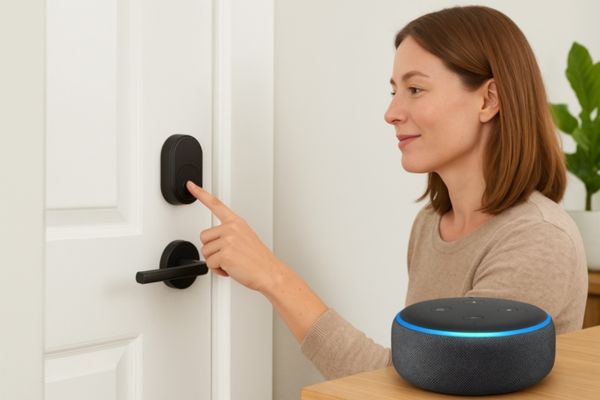
- After Matter: A Matter-certified lock works in your Alexa app, your Google Home app, and your Apple Home app — simultaneously. Add it to whichever app you prefer. Use it in automations across ecosystems. Switch ecosystems later without replacing the device.
What Matter Supports (And Doesn’t) in 2026
Currently supported device categories:
- Smart locks
- Lighting (bulbs, switches, dimmers)
- Thermostats
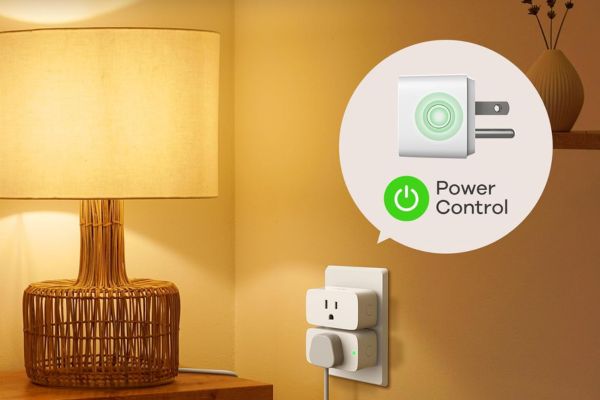
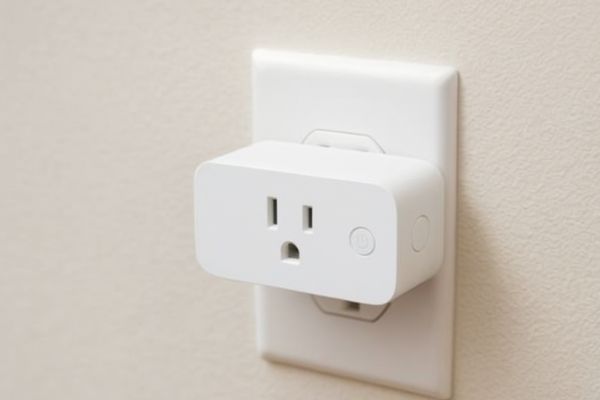
- Plugs and outlets
- Blinds and shades
- Sensors (motion, contact, temperature, humidity)
- Garage door controllers
- Televisions
Not yet fully supported:
- Cameras (in active development)
- Vacuum robots
- Some complex appliance categories
Should You Buy Matter-Compatible Devices?
If a Matter-compatible version of a device you want exists at a comparable price, buy it. The flexibility to switch ecosystems, combine platforms, and future-proof your setup is worth a modest premium. Matter compatibility is increasingly noted on product listings on Amazon and at major US retailers.
If the specific device you need isn’t available in a Matter version yet — particularly for cameras or niche sensors — buy the best option available. Matter will reach those categories.
Smart Home Hubs What They Are and Whether You Actually Need One
A smart home hub is a device that sits at the center of your smart home network. It speaks multiple protocols (Zigbee, Z-Wave, Thread, and sometimes others simultaneously), coordinates communication between devices, and runs your automations locally — meaning they continue to work even if your internet goes down.
Hub vs No Hub – The Core Trade-Off
- Without a hub: You rely on cloud-based ecosystems (Alexa, Google Home) to coordinate your devices. Setup is simpler. But your automations depend on the internet if your router goes down, automations stop. Cloud services occasionally have outages. And you’re limited to devices that work within your chosen ecosystem’s cloud.
- With a hub: Your automations run locally on hardware in your home. They’re faster (no round-trip to a cloud server), more reliable (no internet dependency), and more flexible (Hubitat and SmartThings support thousands of devices across Zigbee, Z-Wave, and Wi-Fi simultaneously). The trade-off is a more complex setup and an upfront hardware cost ($70–$150).
Who Actually Needs a Hub?
You probably don’t need a hub if:
- You’re just getting started with smart home tech
- You have fewer than 10–15 devices, all from compatible brands
- You don’t need automations that run without internet access
- You’re comfortable with cloud-based control through Alexa or Google Home
You probably do need a hub if:
- You want to mix Zigbee and Z-Wave devices in the same automation
- You have or want a large number of devices (20+)
- Reliability is critical — you want automations that work during internet outages
- You want advanced automation logic beyond what Alexa and Google Home offer
- You’re building a serious smart home and want maximum future flexibility
The Three Hub Types
Dedicated smart home hubs
Hubitat, SmartThings, Aeotec Smart Hub purpose-built hardware running hub software. Most powerful for automation and device compatibility. Hubitat runs entirely locally; SmartThings uses a hybrid local/cloud model.
Ecosystem hubs
Amazon Echo 4th gen, Apple HomePod, Google Nest Hub primary voice assistant devices that have added Zigbee, Thread, or Z-Wave radios over time. Convenient but less powerful than dedicated hubs for complex automation needs.
Multi protocol smart routers
Eero Pro 6 with built-in Zigbee Wi-Fi routers with smart home radio built in. Useful for Wi-Fi mesh extension and basic Zigbee connectivity in one device.
Hubitat vs SmartThings vs Aeotec – Which Smart Home Hub Is Right for You?
These three are the most popular dedicated smart home hubs in the US market. They overlap in capability but serve meaningfully different users.
Hubitat Elevation – Best for Power Users Who Want Local Control
Hubitat is the hub of choice for serious smart home enthusiasts who prioritize speed, reliability, and privacy. Almost everything runs locally no cloud dependency, no subscription fee, no internet required for automations to function.
Hubitat is the right choice if:
Where it falls short: The user interface is less polished than SmartThings. Setup requires more time and technical patience. Not ideal for beginners.
SmartThings Hub – Best for Most US Households
SmartThings (now a Samsung platform) hits the sweet spot between capability and accessibility. It supports Zigbee, Z-Wave, Wi-Fi, and Matter, integrates deeply with Samsung appliances, and offers a genuinely user-friendly app experience. Automations run partially locally and partially in the cloud.
SmartThings is the right choice if:
Where it falls short: Some automations run in the cloud rather than locally — internet outages can affect certain automations. Less granular control than Hubitat for power users.
Aeotec Smart Home Hub – Best for Z-Wave-Heavy Setups
Aeotec’s hub runs the SmartThings platform on Aeotec hardware — making it essentially a SmartThings hub in a different form factor. It’s particularly well-regarded in Z-Wave-centric setups and is sold as the hardware successor to the original SmartThings Hub.
Aeotec is the right choice if:
Where it falls short: If you don’t have a strong reason to prefer Aeotec hardware specifically, a standard SmartThings hub delivers the same platform experience.
Quick Comparison Table
| Feature | Hubitat | SmartThings | Aeotec |
| Local processing | Full | Partial | Partial |
| Subscription required | No | No (some features optional) | No |
| Zigbee support | Yes | Yes | Yes |
| Z-Wave support | Yes | Yes | Yes |
| Matter support | Yes (via update) | Yes | Yes |
| Ease of setup | Intermediate – Advanced | Beginner – Intermediate | Beginner – Intermediate |
| Best for | Power users, privacy-first | Most households | Z-Wave-heavy setups |
| Price range | ~$130 | ~$70 – $100 | ~$100 |
How to Choose the Right Protocol for Your Smart Home
You don’t need to pick one protocol and stick with it exclusively most well-configured smart homes use two or three. The question is which protocol makes sense for which types of devices.
The Protocol Decision Framework
Use Wi-Fi for:
- Video doorbells and cameras (need bandwidth for video streaming)
- Smart speakers and displays (always plugged in; bandwidth matters)
- Smart plugs where you also want energy monitoring visible in a simple app
- Any device where you want instant setup without a hub
Use Zigbee for:
- Smart lighting, especially in multi-room setups (low power, fast, scales well)
- Door, window, motion, and temperature sensors (battery-powered; Zigbee’s efficiency is unmatched)
- Any large-volume device category where battery life matters
Use Z-Wave for:
- Smart locks (Z-Wave’s reliability and security certification make it the preferred protocol for lock manufacturers)
- Garage door controllers
- Any security-critical device where rock-solid reliability matters more than cost
Use Thread/Matter for:
- New devices going forward, whenever a Matter version is available
- Building a future-proof setup that isn’t locked to any single ecosystem
The Most Common Protocol Mistake
Buying devices from multiple protocols without a hub to coordinate them.
A Zigbee sensor and a Z-Wave lock will never talk to each other directly — they literally speak different wireless languages. Only a hub that speaks both (like Hubitat, SmartThings, or Aeotec) can bridge them into a single automation.
If you want to mix protocols and most smart homes eventually do a hub is not optional. It’s the translator your devices need.
How to Build a Smart Home That Actually Works Together
The biggest connectivity mistakes happen when people buy devices first and figure out the connection layer later. Here’s the sequence that works.
Before buying any device, decide which ecosystem you’ll use as your primary control layer: Amazon Alexa, Google Home, or Apple HomeKit.
This choice determines:
- Which voice assistant controls your home
- Which hub (if any) you’ll buy
- Which devices have native integration vs. require workarounds
For most US households in 2026: Alexa for broadest device compatibility, Google Home for Android households and Google app users, HomeKit for all-Apple households.
Use the criteria from Section 4. If you’re starting with under 10–15 devices from major brands and you’re comfortable with cloud-based automations, skip the hub for now. Add one later when complexity demands it.
If you already know you want Zigbee sensors, Z-Wave locks, and complex local automations — buy the hub before you buy the devices. It’s much easier to build around a hub from the start than to retrofit one later.
Before purchasing, make a simple list of every device category you plan to add, and assign a protocol to each:
| Device | Protocol | Reason |
| Front door camera | Wi-Fi | Video streaming needs bandwidth |
| Smart lock | Z-Wave | Reliability, security certification |
| Motion sensors | Zigbee | Battery life, mesh range |
| Smart bulbs (living room) | Zigbee | Scale, battery-free, low power |
| Smart plug (office) | Wi-Fi | Simple monitoring, no hub needed |
| Thermostat | Wi-Fi or Matter | Direct internet connectivity, easy app |
This map helps you avoid buying incompatible hardware and tells you which hub (if any) you need before you start spending.
Before adding smart home devices, make sure your home Wi-Fi is solid. A mesh Wi-Fi system (Eero, Google Nest WiFi Pro, or similar) eliminates dead spots and provides a stable base for both Wi-Fi devices and the internet-dependent features of Zigbee/Z-Wave hubs.
If you’re installing a hub, place it centrally close to your router and within reasonable range of most devices.
Add all your lighting at once. Then add all your sensors. Then locks. Configuring devices by category is faster and makes troubleshooting much simpler than adding one random device at a time.
The Most Common Smart Home Connectivity Mistakes (And How to Fix Them)
Mistake 1: Buying from multiple ecosystems without a plan
An Alexa-only thermostat, a HomeKit-only lock, and a Google-only camera require three separate apps and can’t trigger each other in a single automation. Before buying, decide on one primary ecosystem. Use Matter-certified devices wherever possible to stay flexible.
Mistake 2: Assuming all Zigbee devices work together without a hub Zigbee is a protocol
not a brand. A Philips Hue bulb and an Aqara motion sensor both use Zigbee, but they won’t directly communicate with each other without a hub in the middle. The hub is the coordinator. This catches many buyers off guard.
Mistake 3: Placing the hub or router in a bad location
A hub in a basement or inside a media cabinet significantly reduces wireless range. Place hubs in a central, elevated location with clear line-of-sight to as many devices as possible. For Zigbee and Z-Wave mesh networks, a centrally placed hub combined with a few strategically placed plug-in devices (which act as range extenders) solves almost every range problem.
Mistake 4: Not updating device firmware Smart home hubs and devices run software that receives security patches and bug fixes.
A Hubitat hub running 2-year-old firmware may have known vulnerabilities and miss Matter compatibility updates. Enable automatic updates where available, and check manually every few months.
Mistake 5: Overloading a single Wi-Fi band Wi-Fi smart home devices typically connect to the 2.4GHz band (not the 5GHz band)
because 2.4GHz has longer range and better wall penetration. A home with 20+ Wi-Fi smart home devices, phones, laptops, and streaming devices all competing on 2.4GHz will experience congestion and unreliable performance. This is one of the strongest arguments for using Zigbee or Z-Wave for sensors and lighting rather than adding more Wi-Fi devices.
Mistake 6: Treating Matter as a guarantee of full compatibility Matter-certified devices work together
at the basic level — on/off, brightness, temperature. But manufacturer-specific features (like Philips Hue’s color effects or Ecobee’s room sensor features) may still be locked to the brand’s own app. Matter covers the core functionality; advanced features remain in the native app.
Mistake 7: Skipping the network audit before adding devices Before adding 20 smart devices to your home
run a basic Wi-Fi audit. Check your router’s connected device count (most routers support 30–50 devices; low-end models may cap lower). If you’re near that limit, a mesh Wi-Fi system upgrade is part of your smart home budget.
The Best Smart Home Hubs and Connectivity Devices for 2026
Every hub recommendation below is based on hands-on testing. Choose the one that matches your technical comfort level and device mix.
Best Dedicated Smart Home Hubs
Hubitat Elevation C8 Pro – Best for power users
full local processing, no subscription, supports Zigbee, Z-Wave, Matter, and Thread simultaneously (link to Hubitat Hub Review)
SmartThings Hub – Best for most households
easiest setup among full-featured hubs, strong Matter support (link to SmartThings Hub Review)
Aeotec Smart Home Hub – Best for Z-Wave centric setups
runs SmartThings platform on dedicated hardware (link to Aeotec Smart Hub Review)
Best for Protocol Understanding
What Is Smart Home Connectivity? (Zigbee, Z-Wave, Matter) — Start here if you’re still unsure which protocol is right for you
- Z-Wave vs Zigbee vs Wi-Fi Comparison – Side-by-side for buyers deciding between mesh protocols (link to growth page)
- Matter Explained – What the new standard means for your existing devices and future purchases (link to monetization/guide page)
- Best Ecosystem Hubs (Voice Assistant + Hub Combo)
- Amazon Echo (4th gen) – Built-in Zigbee hub + Alexa; good starting point before committing to a dedicated hub
- Apple HomePod (2nd gen) – HomeKit hub + Thread Border Router; best for Apple households
- Google Nest Hub Max – Google Home hub + Thread Border Router; best for Android/Google households
- Best Mesh Wi-Fi Systems for Smart Home Households
- Eero Pro 6E – Built in Zigbee, fast tri-band Wi-Fi, simple app, integrates with Alexa
- Google Nest WiFi Pro – WiFi 6E, Thread Border Router built in; ideal for Google ecosystem homes
Frequently Asked Questions About Smart Home Connectivity
Build a Smart Home Where Everything Actually Works Together
Connectivity isn’t the most exciting part of a smart home. But it’s the part that determines whether everything else works. Get the protocol layer right, choose the right hub (or decide you don’t need one yet), and the rest of your smart home builds cleanly on a solid foundation.
Matter Explained – What the New Standard Means for Your Home
Neither is objectively better — they’re optimized for different things. Zigbee has a larger device ecosystem and lower device costs; Z-Wave has better range per device, no Wi-Fi interference, and stricter interoperability certification. Most serious smart home setups use both: Z-Wave for locks and security devices, Zigbee for lighting and sensors. A hub that supports both (Hubitat, SmartThings, Aeotec) gives you access to the best devices in each category.
Not necessarily — especially for smaller setups. If you have under 15 devices from major brands (Philips Hue, Ecobee, August, Ring) that natively support Alexa or Google Home, a hub may add complexity without proportional benefit. Where a hub earns its keep: large device counts (20+), mixed Zigbee/Z-Wave setups, local processing requirements, or advanced automation logic beyond what Alexa and Google Home offer natively.
Matter is a new universal smart home standard backed by Amazon, Apple, Google, and Samsung. Devices that receive a Matter update can be controlled simultaneously from multiple ecosystems (Alexa, Google Home, HomeKit) without choosing one. Some existing devices — particularly those from Amazon, Google, Apple, and major brands like Eve — have received or will receive Matter updates via firmware. Check your device manufacturer’s website or app for Matter compatibility updates.
Yes — but with limitations. You can have Echo speakers in some rooms and Google Nest speakers in others. However, the two ecosystems don’t share automations, so a routine built in Alexa won’t trigger Google devices, and vice versa. For a fully coordinated home where all devices respond to a single command, stick to one primary ecosystem or use a Matter-compatible hub (like SmartThings or Hubitat) that can bridge across both.
Because most automations in Alexa and Google Home run in the cloud — your command goes from your app to Amazon or Google’s server, which processes it and sends the instruction back to your device. No internet means no server connection, and no automation. A dedicated hub like Hubitat processes automations locally — no internet required. For households that want reliable automations during outages, a local-processing hub is the solution.
Most consumer routers support between 30–50 simultaneously connected devices, though performance often degrades before you hit that ceiling. The 2.4GHz band — the frequency most smart home devices use — is the most congested. If you have more than 15–20 smart home devices, a mesh Wi-Fi system (Eero, Google Nest WiFi Pro) significantly improves reliability. Alternatively, using Zigbee or Z-Wave for lighting and sensors rather than Wi-Fi offloads those devices from your router entirely.
Yes, but primarily for initial setup rather than ongoing control. Most smart home devices use Bluetooth for the initial pairing and configuration process (your phone connects to the device via Bluetooth to set it up), then switch to Wi-Fi, Zigbee, or Z-Wave for day-to-day operation. Some devices — particularly Apple-adjacent ones — use Bluetooth Low Energy (BLE) for ongoing operation, but this is less common for whole-home automation because BLE has limited range.




Stay Ahead in Smart Living
Get updates on the latest devices, trends, and deals straight to your inbox.