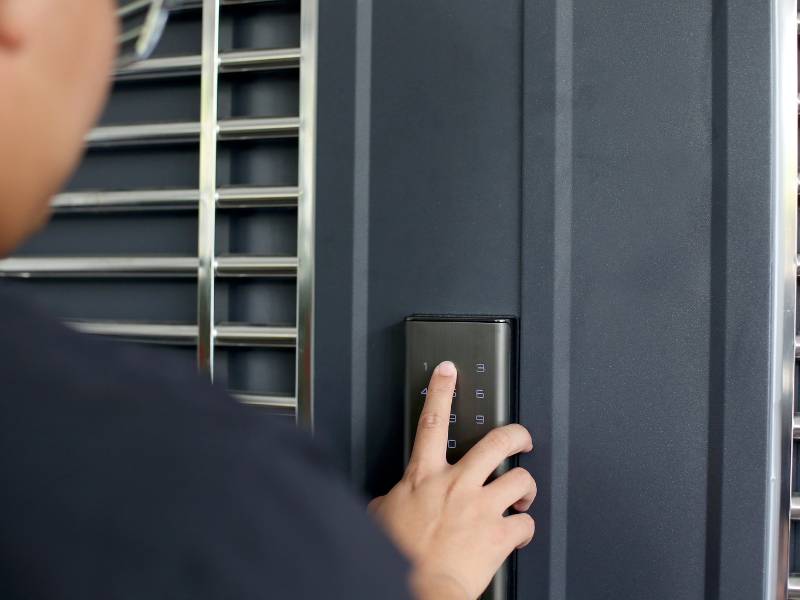
Apartment living creates a unique smart lock problem.
You can’t replace the deadbolt your landlord owns it. You can’t drill new holes in the door that’s your security deposit. And when your lease ends in 12 months, whatever you installed needs to come off cleanly and completely.
Most renter-friendly smart lock models are easy to install and fully removable but not all of them. The wrong purchase means a lock that violates your lease, damages your door, or doesn’t come off when moving day arrives.
This guide covers the five best smart locks for apartment renters in all tested for renter-friendliness, all installable without drilling, and all removable without leaving a trace. We’ve also included a clear buying framework so you can match the right lock to your setup before spending a dollar.
What Makes a Smart Lock “Apartment-Friendly”?
Before diving into picks, it’s worth being specific about what “renter-friendly” actually means because not every smart lock marketed to renters earns the label.
A genuinely apartment-friendly smart lock meets all four of these criteria:
Retrofit locks attach over your existing interior thumb turn the part you twist to lock from inside. Your exterior lock, your door hardware, and crucially your landlord’s master key all remain completely unchanged. From the outside, nobody can tell you’ve installed anything.
Locks that require replacing the deadbolt entirely are homeowner products. Skip them for apartment use.
Every lock on this list installs without drilling new holes. The retrofit design uses your existing deadbolt mounting no additional holes, no wall anchors, no door modifications.
The lock must come off cleanly when you leave. Every pick in this guide reverses completely your original thumb turn goes back on, and the door returns to exactly how it was when you moved in.
Your landlord’s key, building master key, and any physical key that worked before installation should continue working after. Retrofit locks don’t change the exterior lock cylinder, so all existing keys remain functional.
Quick Comparison – Best Smart Locks for Apartments
| Lock | Price | Install Type | Ecosystem | Battery Life | Best For |
|---|---|---|---|---|---|
| August Wi-Fi Smart Lock (4th Gen) | ~$200 | Retrofit (over deadbolt) | Alexa, Google, HomeKit | 3–6 months | Best overall for most renters |
| Yale Assure Lock 2 | ~$160- $260 | Deadbolt replacement* | Alexa, Google, HomeKit, Matter | 6–10 months | Best features + Matter support |
| Wyze Lock Bolt | ~$70 | Retrofit (over deadbolt) | Alexa, Google | 6–12 months | Best budget pick |
| Level Bolt | ~$180 | Retrofit (inside deadbolt) | Apple HomeKit only | 12+ months | Best for Apple households |
| SwitchBot Smart Lock Pro | ~$90 | Adhesive (no tools needed) | Alexa, Google, Siri | ~6 months | Best zero-tool installation |
*Yale Assure Lock 2 replaces the deadbolt check with your landlord before purchasing. Many allow this as it’s a security upgrade and fully reversible.
The 5 Best Smart Locks for Apartments in 2026

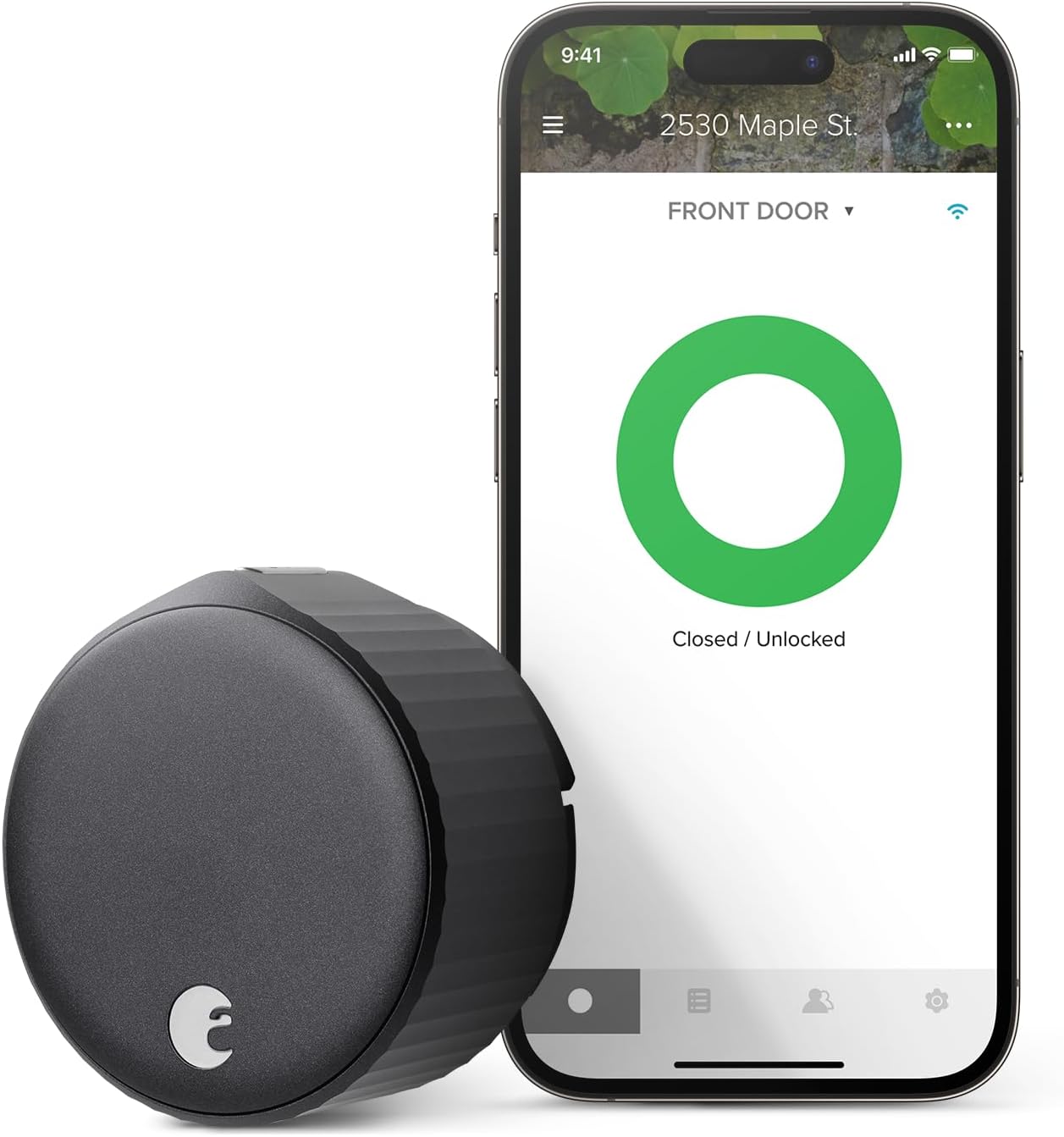
August Wi-Fi Smart Lock (4th Gen) – Best Overall for Renters
Price Range: ~$200 (Amazon)
AutomateVerge Rating: 4.5 / 5
Best for: Most apartment renters
Unlock convenience and security with this smart lock!
Why it earns the top spot for renters:
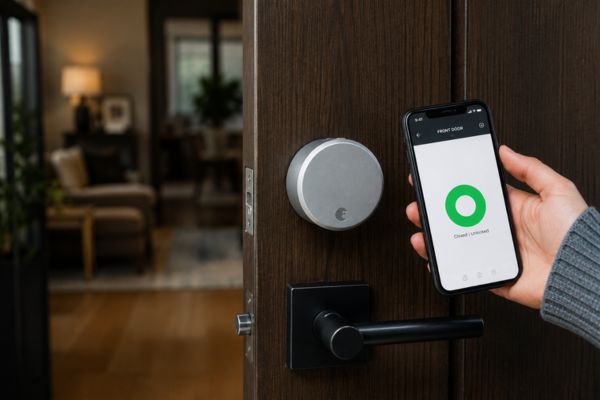
The August’s retrofit design is the cleanest implementation of renter-friendly installation available. Remove your existing interior thumb turn (a 5-minute job with a screwdriver), attach August’s motorized unit to the existing deadbolt tailpiece, and you’re done. Your exterior door looks identical. Your landlord’s key works. Your original thumb turn goes back on when you leave.
Key Features:
- Auto unlock via geofencing — door unlocks as you approach, no hands needed
- DoorSense technology — monitors whether door is physically closed and locked (not just whether the bolt is thrown)
- Remote locking and unlocking from anywhere via Wi-Fi
- Access logs — timestamped record of every lock and unlock event
- Guest access codes — temporary codes for dog walkers, cleaners, guests with customizable expiry
- Works with Alexa, Google Home, and Apple HomeKit
Honest limitations: August invented the retrofit smart lock category and the 4th Gen is a competent product. But in 2026, the competition has caught up in several ways. The lack of Matter support, no built-in keypad, shorter battery life than competitors, and no ANSI grade rating make it harder to recommend over the Yale Assure Lock 2 for homeowners. For renters specifically — where retrofit installation is non-negotiable — it remains the top pick.
No built-in keypad means you enter via phone app or voice assistant only (unless you purchase the separate August Keypad accessory, ~$50 extra). Battery life runs 3–6 months depending on usage — shorter than most competitors. And unlike the Yale Assure Lock 2 (which is made by the same parent company), the August doesn’t support the Matter standard.
Bottom line: The best retrofit smart lock for apartment renters. If you can’t replace your deadbolt and need something that installs without a trace, the August is the answer.
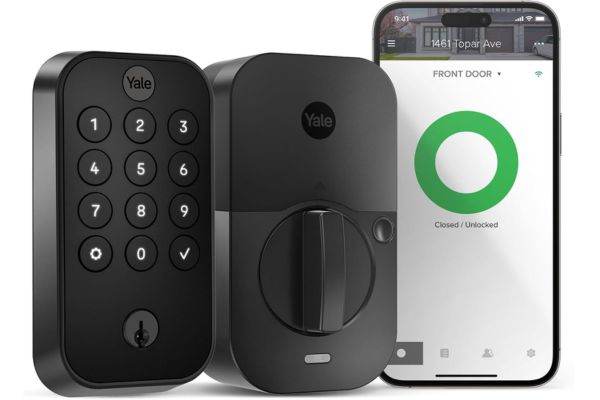
Yale Assure Lock 2 – Best Features and Future-Proofing
The Yale Assure Lock 2 is the Wirecutter top pick for smart locks. Slim, minimalist design with a backlit touchscreen keypad. It supports Matter-over-Thread, multiple unlock methods, and proven reliability.

Price Range: ~$160–$260 (varies by configuration)
AutomateVerge Rating: 4.6 / 5
Best for: Renters whose landlords allow deadbolt replacement; anyone wanting Matter and the best all-round smart lock
Secure your home with this smart deadbolt, perfect for both front and back doors.
The landlord conversation: The Yale Assure Lock 2 replaces the existing deadbolt rather than retrofitting over it. For many renters, this is achievable a quick conversation with your landlord explaining that you’re upgrading the security hardware, will keep them a physical key, and will reinstall the original at move-out is often approved. Many landlords prefer it since it’s a security upgrade. If your landlord says no, go with the August above.
Key features:
- Built in touchscreen keypad – no phone needed to enter
- Matter support – works with Alexa, Google Home, Apple HomeKit, and SmartThings simultaneously
- Apple Home Key – tap iPhone or Apple Watch to unlock (no app needed)
- Auto unlock via geofencing
- Multiple configurations: touchscreen only, touchscreen + fingerprint, touchscreen + Z-Wave
- ANSI/BHMA Grade 2 certified
- Battery life: 6-10 months (significantly longer than August)
Honest limitations: Yale just announced the Yale Assure Lock 2, which refines the original design into something more compact with a lower price. Pricing varies significantly by configuration — the base touchscreen-only model runs ~$160, while the fingerprint + Wi-Fi version reaches ~$260. Check which features you actually need before buying the higher-tier version.
Bottom line: The best all-round smart lock available in and the right choice for renters whose landlords are open to a deadbolt upgrade. If you can get permission, this is what to buy.
Wyze Lock Bolt – Best Budget Smart Lock for Renters
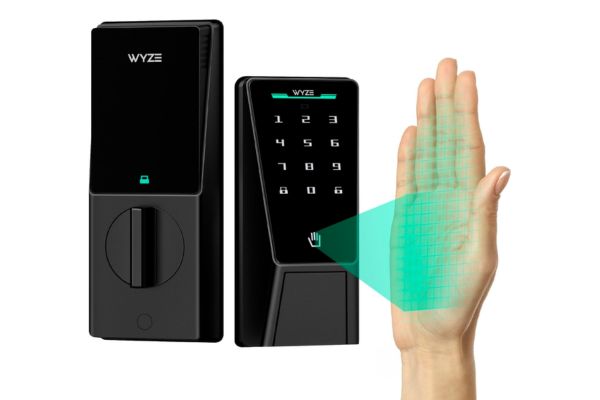
Budget renters should grab the Wyze Lock Bolt at $70 for fingerprint unlock without a subscription.
The Wyze Lock Bolt delivers the two features most renters actually use daily — fingerprint unlock and keypad PIN entry — at less than half the price of August or Yale. It installs as a retrofit over your existing deadbolt, requires no drilling, and removes cleanly at move-out.

Price Range: ~$70 (Amazon)
AutomateVerge Rating: 4.1 / 5
Best for: Budget conscious renters; first smart lock purchase
Unlock convenience and security with this smart lock!
Key features:
- Fingerprint reader – unlocks in under 1 second for registered fingers
- Keypad PIN entry – backup method when hands are full or gloves are on
- Auto lock – configurable timer (30 seconds to 4 minutes after door closes)
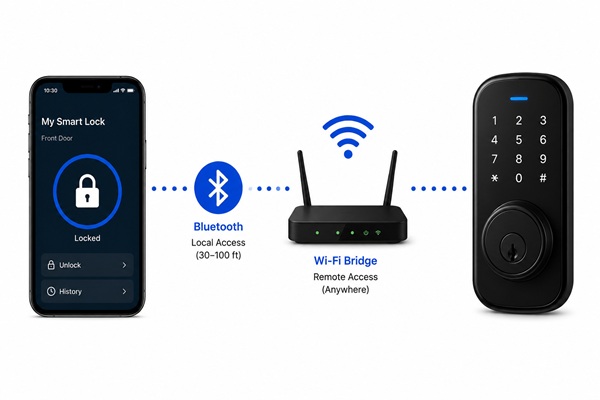
- Bluetooth only – control via Wyze app from close range; Wi-Fi bridge sold separately (~$30) for remote access
- Works with Alexa and Google Home (basic functions)
- No subscription required for any features
Honest limitations: The Wyze Lock Bolt wins for battery life 6–12 months on four AA batteries is excellent. The trade-off is connectivity: Bluetooth-only without the separate Wi-Fi bridge means no remote access from outside your home. If checking your lock status from work or unlocking for a delivery driver from across town matters to you, budget for the bridge or buy the August instead.
No Apple HomeKit support. App quality is good but Wyze’s ecosystem is simpler than August or Yale. For basic daily use — fingerprint in, keypad for guests — it’s exceptional value.
Bottom line: The best smart lock under $100 for apartment renters. Buy it if budget is the priority and remote access isn’t essential.
Wyze Lock Bolt – Best Budget Smart Lock for Renters
For Apple users, the Level Lock+ earns our recommendation for its innovative invisible design.
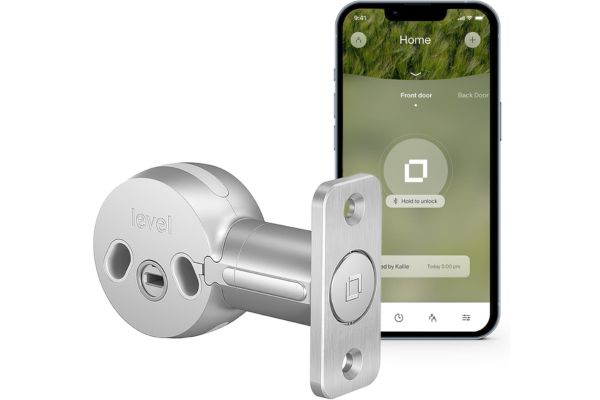
The Level Bolt is the most unusual smart lock on this list — and for a specific type of renter, it’s the most compelling. Instead of attaching to the outside of your existing deadbolt mechanism, the Level Bolt installs entirely inside your door cylinder, replacing only the internal mechanism. From the outside, your door looks completely unchanged. From the inside, it looks completely unchanged. Nothing is visible.

Price Range: ~$180 (Amazon / Apple Store)
AutomateVerge Rating: 4.2 / 5
Best for: iPhone and Apple Watch households; renters who want invisible installation
Upgrade your door security with this smart lock. Easy to install and control right from your phone.
Key features:
- Completely invisible installation – no hardware visible on either side of door
- Apple HomeKit native – deepest HomeKit integration of any smart lock
- Apple Home Key – tap iPhone or Apple Watch to unlock in under 1 second
- Bluetooth only – app control via iPhone; no Wi-Fi required
- Physical key still works (no change to exterior)
- Battery life: 12+ months (CR2 battery inside the cylinder)
- Extremely fast bolt throw – under 1 second
Honest limitations: Our main issue with the Level Bolt is minimal smart home compatibility. It works with Apple HomeKit — a big plus since few smart locks do — but not with Alexa or Google. If your household is mixed (some Android, some iPhone), the Level Bolt creates friction — only iPhone users can control it natively.
No keypad option. Entry is via iPhone, Apple Watch, or physical key only — no PIN code for guests or backup access without a phone. If you regularly need to give access to people without iPhones, this is limiting.
Bottom line: The right choice for all-Apple households who want the most discreet possible installation. If your household runs entirely on iPhone and you prioritize HomeKit integration, nothing else comes close.
SwitchBot Smart Lock Pro – Best Zero-Tool Installation
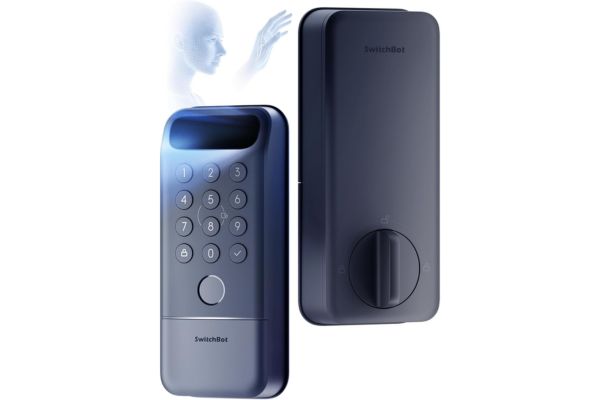
The SwitchBot takes the retrofit concept further than any other lock on this list. Where the August requires removing your existing thumb turn with a screwdriver, the SwitchBot clamps around it using adhesive — genuinely zero tools, zero modifications, zero removal of existing hardware.

Price Range: ~$90 (Amazon)
AutomateVerge Rating: 3.9 / 5
Best for: iPhone and Apple Watch households; renters who want invisible installation
Upgraded security for your home with this smart lock that offers multiple ways to unlock!
Key features:
- 3M adhesive mounting – truly zero tools required
- Works with virtually any deadbolt thumb turn (widest compatibility of any retrofit lock)
- Control via Alexa, Google Home, and Siri
- Matter support – future-proof ecosystem compatibility
- Remote access via SwitchBot Hub (sold separately, ~$40)
- App based scheduling and access logs
Honest limitations: The adhesive mounting is the SwitchBot’s strength and its weakness. 3M industrial adhesive is strong but “strong” and “permanent” aren’t the same thing. In testing, adhesive bonds can weaken over time in hot or humid environments (a genuine concern in apartments without good climate control). The mechanical grip is less positive than a screwed retrofit mount. For primary security reliance, the August’s screwed installation is more dependable.
No built-in keypad. Remote access requires purchasing the SwitchBot Hub Mini separately. The hub-dependent ecosystem adds cost and a device to manage.
Bottom line: The most accessible entry point for renters nervous about any installation. If even removing a thumb turn feels like too much, the SwitchBot removes that barrier entirely.
How to Choose the Right Apartment Smart Lock for Your Situation
Not every renter has the same constraints. Use this framework to find your pick before buying.
Step 1 – Check Your Lease and Ask Your Landlord
Before purchasing, review your lease for clauses about door hardware, locks, or security devices. Then consider a quick conversation with your landlord or property manager:
- Retrofit locks (August, Wyze, Level Bolt, SwitchBot) almost never require landlord approval — they don’t modify the door
- Deadbolt replacement locks (Yale Assure Lock 2) often get approved when framed as a security upgrade — you’re improving their property, keeping them a physical key, and reinstalling the original at move-out
Step 2 – Identify Your Ecosystem
Your smart home ecosystem should drive your lock choice:
- Amazon Alexa household: August Wi-Fi Smart Lock or Wyze Lock Bolt (both have strong native Alexa integration)
- Google Home household: August Wi-Fi Smart Lock or Yale Assure Lock 2 (both offer solid Google Home support)
- Apple HomeKit household: Level Bolt (the best HomeKit smart lock for renters) or Yale Assure Lock 2 (supports Apple Home Key)
- Multi-ecosystem or Matter priority: Yale Assure Lock 2 (Matter support works with all ecosystems simultaneously)
Step 3 – Decide Which Entry Methods You Need
Your smart home ecosystem should drive your lock choice:
- Phone only access (no keypad needed): August Wi-Fi Smart Lock or Level Bolt
- Keypad PIN for guests and backup: Yale Assure Lock 2 or Wyze Lock Bolt
- Fingerprint for hands-free daily entry: Wyze Lock Bolt or Yale Assure Lock 2 (fingerprint configuration)
- Apple Watch / NFC tap: Level Bolt or Yale Assure Lock 2 (with Home Key support)
- Truly zero-tool installation: SwitchBot Smart Lock Pro
Step 4 – Set Your Budget Including Hidden Costs
| Lock | Base Price | Wi-Fi Bridge Needed? | Total Cost |
|---|---|---|---|
| August Wi-Fi Smart Lock | ~$200 | No (Wi-Fi built in) | ~$200 |
| Yale Assure Lock 2 | ~$160- $260 | Depends on configuration | ~$160- $260 |
| Wyze Lock Bolt | ~$70 | Yes (~$30 bridge for remote) | ~$70–$100 |
| Level Bolt | ~$180 | No (Bluetooth/HomeKit) | ~$180 |
| SwitchBot Smart Lock Pro | ~$90 | Yes (~$40 hub for remote) | ~$90–$130 |
Step 5 – Check Your Deadbolt Compatibility
All retrofit locks on this list work with standard US deadbolts, but verify before purchasing:
- Door thickness: Most locks support 1-3/8″ to 2-1/4″ door thickness (standard US residential)
- Deadbolt thumb turn shape: Retrofit locks clamp over the existing thumb turn — most round or oval turns are compatible; unusual shapes may not be
- ANSI Grade: Your existing deadbolt’s quality affects the security of a retrofit installation — a retrofit lock on a Grade 1 deadbolt is more secure than one on a Grade 3
The Smart Camera Buying Decision – A Quick Framework
With a retrofit lock (August, Wyze, Level Bolt, SwitchBot), the exterior of your door is completely unchanged — your landlord will not notice unless they come inside your apartment and look at the interior side of your door. The physical key still works normally. Legally and practically, retrofit locks in apartments occupy a grey area in most states but since they don’t damage the door and your landlord’s key still works, most lease violation claims wouldn’t hold up. When in doubt, ask first.
Yes, every lock on this list preserves the existing exterior key cylinder. Your landlord’s master key, building passkey, and any other physical key that worked before installation continues to work after. Nothing about the exterior lock changes with a retrofit installation.
Uninstall takes 5–10 minutes reverse the installation process, reinstall your original thumb turn, and the door is exactly as you found it. The smart lock moves with you to your next apartment. This is one of the best features of the retrofit design: your security upgrade travels with you rather than staying with the property.
Not for basic locking and unlocking all of these locks work via Bluetooth without Wi-Fi. Wi-Fi (or a Wi-Fi bridge) is required for remote access from outside your home. If you only need to lock and unlock from inside or immediately outside your apartment, Bluetooth-only (Wyze Lock Bolt, Level Bolt) is sufficient.
Every lock on this list maintains a physical key backup — your existing key always works regardless of battery status. Additionally, most smart locks provide low-battery notifications weeks before failure. Some locks (including certain Yale models) include an emergency USB power port where you can hold a portable battery pack against the lock to provide temporary power and enter a PIN. Always keep a physical key as your backup.
Retrofit locks work with the deadbolt’s interior thumb turn — not the chain lock. If your apartment has both a deadbolt and a chain lock, the smart lock controls the deadbolt only. The chain lock remains manual. This is standard and doesn’t affect the retrofit lock’s functionality.
Common Renter Smart Lock Mistakes to Avoid
Mistake 1: Buying a lock that requires replacing the deadbolt without checking your lease first
Deadbolt replacement locks (including the Yale Assure Lock 2) are excellent products — but if your lease prohibits changes to door hardware without written approval, you need that approval before purchasing. Ask first, buy second.
Mistake 2: Not accounting for hub or bridge costs
The Wyze Lock Bolt ($70) looks like the cheapest option — and it is, if you only need Bluetooth access from inside your apartment. If you need remote access from anywhere, add $30 for the Wi-Fi bridge. The SwitchBot similarly needs a hub (~$40) for remote access. Factor total cost before comparing prices.
Mistake 3: Choosing based on the lock, not the ecosystem
A great smart lock in the wrong ecosystem creates friction daily. An August on an Apple-only household means no Apple Home Key, no Siri integration, and a suboptimal app experience. Choose your ecosystem first, then find the best lock for it.
Mistake 4: Ignoring existing deadbolt quality
A retrofit smart lock is only as secure as the deadbolt underneath it. If your apartment door has a flimsy Grade 3 deadbolt, a retrofit lock doesn’t upgrade the physical security — it just adds electronic control to a weak mechanical lock. If your building’s security matters to you, ask your landlord about deadbolt quality or request an upgrade.
Mistake 5: Forgetting to take the lock when you move
It sounds obvious — but in move-out chaos, people leave smart locks behind. Set a calendar reminder for move-out day specifically: “Remove smart lock before handing over keys.” A $200 lock left behind because you forgot in the rush is an expensive mistake.
The Bottom Line – Best Smart Lock for Your Apartment
For most apartment renters in 2026, the choice comes down to two options:
- If you want the best all-round retrofit smart lock: August Wi-Fi Smart Lock (4th Gen) — installs in 10 minutes, no drilling, works with Alexa, Google, and HomeKit, and has earned its reputation as the renter’s smart lock standard.
- If your landlord will allow deadbolt replacement: Yale Assure Lock 2 — the better lock in almost every objective category (battery life, Matter support, keypad, ANSI certification), and worth the landlord conversation.
- On a tight budget: Wyze Lock Bolt — fingerprint + keypad at $70 is remarkable value. Add the $30 Wi-Fi bridge if you need remote access.
- Apple-only household: Level Bolt — invisible, native HomeKit, Apple Home Key. Nothing else like it.
- Zero-tool requirement: SwitchBot Smart Lock Pro — adheres over any thumb turn, no screwdriver needed.
Every lock on this list installs without drilling, removes without damage, and keeps your landlord’s key working. Your lease is safe. Your security deposit is safe. And you get genuine smart home convenience in a space you don’t own.
Also worth reading

How Secure Are Smart Locks? Pros, Risks & Safety Tips
August Smart Lock Review — Our Top-Tested Retrofit Pick