
Disclosure: Some links here are affiliate links. We may earn a commission at no extra cost to you. As an Amazon Associate, AutomateVerge earns from qualifying purchases. Read our affiliate disclosure.
You’ve probably wondered it while browsing smart locks online, or after a neighbor mentioned they installed one: are these things actually secure?
It’s a fair question. A traditional deadbolt has been protecting homes for over a century. A smart lock connects to your Wi-Fi, runs software, and can be controlled from a phone app. That sounds like more points of failure not fewer.
The truth is more nuanced than either the enthusiast or the skeptical headlines suggest. Smart locks from reputable brands are genuinely secure and eliminate several weaknesses that traditional locks have. They also introduce a small set of new risks that are worth understanding and mostly easy to manage.
This guide covers both sides honestly: what smart locks do better than traditional locks, where the real vulnerabilities are, and eight practical steps to make sure yours is as secure as it can be.
What Makes a Smart Lock Different From a Traditional Lock?
Before evaluating security, it helps to understand what you’re actually comparing.
A traditional deadbolt is a mechanical device. It has no software, no wireless connection, and no remote access. Its vulnerabilities are also mechanical — it can be picked, bumped, or bypassed by a skilled attacker with the right tools. Most aren’t.
A smart lock replaces or supplements the mechanical locking mechanism with an electronic control system. Depending on the model, it connects via Bluetooth, Wi-Fi, Z-Wave, or Zigbee, and can be controlled by a PIN pad, smartphone app, key fob, fingerprint reader, or voice command.
How Smart Locks Connect
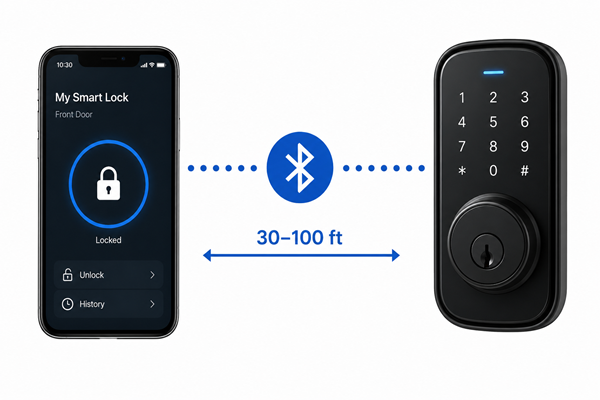
Bluetooth only
The lock communicates directly with your phone when in close range (typically 30–100 feet). No hub or internet connection required. Faster and simpler, but remote access requires a bridge or hub.
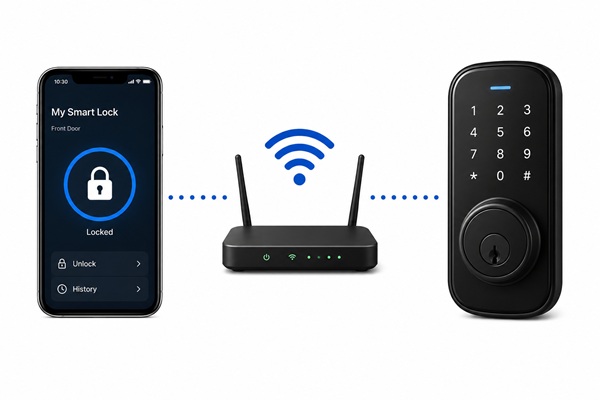
Wi-Fi
Connects directly to your home router. Full remote access from anywhere. Higher power consumption means battery life is shorter. Requires reliable home Wi-Fi to function.
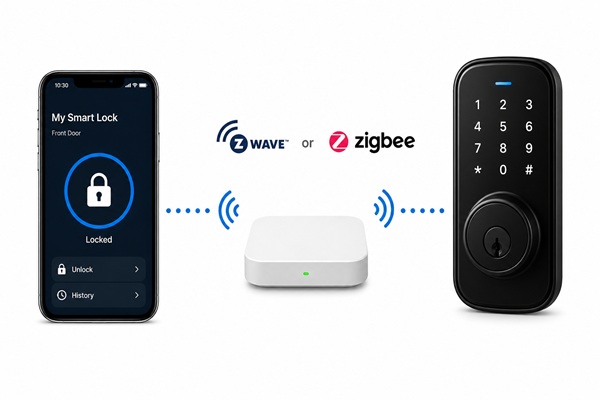
Z-Wave or Zigbee
Mesh protocols that require a compatible hub (SmartThings, Hubitat). Highly reliable, low power consumption, strong for complex smart home setups.
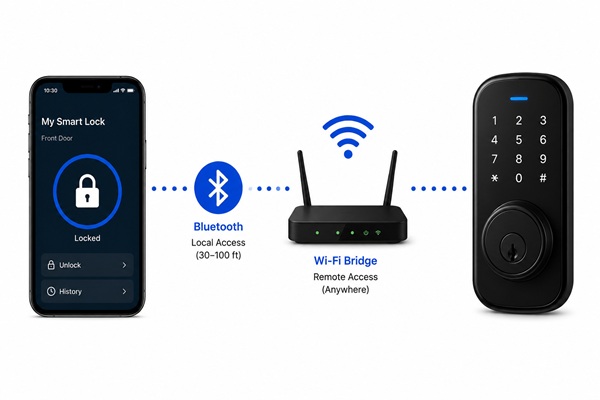
Bluetooth + Wi-Fi combo
The most common configuration in US market leaders (August, Schlage, Yale). Bluetooth for local access and Wi-Fi bridge for remote control balancing reliability with convenience.
The Real Security Advantages of Smart Locks
Let’s start where the case for smart locks is strongest the things they genuinely do better than a traditional deadbolt.
No More Physical Key Vulnerabilities
A physical key can be copied. It can be lost. It can be stolen from a purse, a gym locker, or a valet. A spare key hidden under the doormat still a startlingly common practice is one of the first places a burglar checks.
Smart locks eliminate the physical key risk entirely (or make it optional as an emergency backup). You grant and revoke access digitally. A lost phone doesn’t mean a compromised lock you simply change the access credentials from another device.
Temporary and Revocable Access Codes
This is one of the most practically useful security advantages smart locks offer, and it’s one that traditional locks simply cannot match.
Need to let a plumber in while you’re at work? Create a one-time access code that expires in two hours. Renting your home on Airbnb? Generate a code that’s valid only for the guest’s stay dates. Gave your house code to an ex-partner? Delete it from the app in ten seconds no locksmith, no key change required.
Every access event is logged with a time stamp. You know exactly who entered your home and when.
Auto-Lock — The Feature That Eliminates a Common Mistake
Physical break-ins are far more common than digital attacks — and one of the most common entry points for burglars is a door that was simply left unlocked.
Auto-lock sets the door to lock automatically after a configured time interval — 30 seconds, 1 minute, 5 minutes after it closes. You stop wondering “did I lock the door?” because the answer is always yes.
Remote Monitoring and Real-Time Alerts
Smart locks send push notifications every time the door is locked or unlocked, by whom, and at what time. If your teenager gets home from school, you know. If someone unlocks the door at 3am, you know immediately not the next morning when you check.
This visibility layer doesn’t exist with a traditional deadbolt. The door is either locked or it isn’t, and you have no way of knowing which until you physically check.
Integration With Your Broader Security System
A smart lock can participate in whole-home automations. When the last person leaves, the lock engages automatically and the security system arms. When you arrive home, the lock recognizes your phone and disengages. If a camera detects motion at 2am, the lock confirms it’s still secured and sends you a consolidated alert.
Integrating smart locks with other smart home security devices, such as cameras and motion sensors, provides an additional layer of protection and monitoring that traditional locks can never offer.
The Real Security Risks of Smart Locks
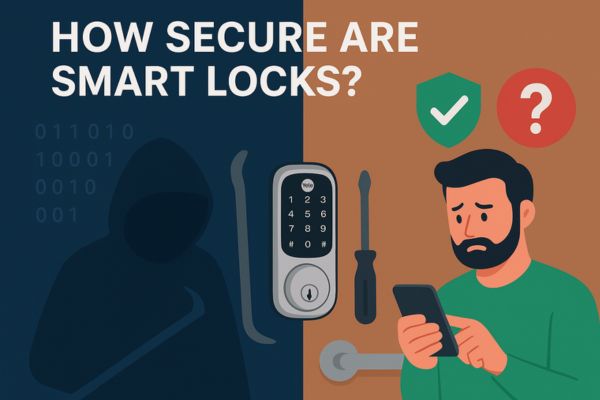
Smart locks introduce a category of risk that traditional locks don’t have: digital attack vectors. It’s important to understand these accurately — neither dismissing them nor overstating them.
Bluetooth Vulnerabilities
Early smart locks had significant Bluetooth security problems. At the 2016 hacker convention DEF CON, representatives from Merculite Security tested 16 smart locks and found that 75% had vulnerabilities that made them easy to hack.
That research is now nearly a decade old — and the industry has responded. Current-generation smart locks from reputable US brands (Schlage, Yale, August, Kwikset) use AES-128 or AES-256 encryption for Bluetooth communication, the same encryption standard used in banking and government systems. The exploits that affected 2016-era locks are largely patched in modern devices.
The residual risk: very cheap smart locks from unknown manufacturers may still use weak or no encryption. This is a strong reason to stick to established brands with documented security practices.
Wi-Fi Network Exposure
A Wi-Fi connected smart lock is only as secure as your home network. According to Security.org’s smart lock buyers guide, hackers can exploit weak passwords, outdated software, or intercept communication between the lock and the user’s device — particularly on poorly secured home networks.
The practical implication: a smart lock on a home Wi-Fi network with a strong WPA3 password and regular router firmware updates is well-protected. A smart lock on a network still running the router’s factory default password is a much easier target.
App and Account Security
Your smart lock is only as secure as the account that controls it. If your lock’s companion app account uses a weak password, or if you reuse a password that’s been compromised in a data breach, an attacker who accesses your account has remote control of your lock.
Two-factor authentication (2FA) — requiring both your password and a code sent to your phone — closes this vulnerability almost entirely. Every reputable smart lock brand supports 2FA. Enabling it is non-negotiable.
Software and Firmware Vulnerabilities
Flaws in lock software can expose users to hacking risks — as seen with the Chirp Systems app flaw and hard-coded credentials found in some smart lock models. Software vulnerabilities are real — but they’re also patchable in a way that mechanical lock vulnerabilities are not. A software bug discovered today can be fixed in a firmware update pushed to millions of devices tomorrow.
The risk exists primarily during the window between vulnerability discovery and firmware patch release — and for devices whose owners never apply updates.
Power Failure and Battery Drain
Smart locks rely on batteries that typically last 6–12 months, but dead batteries can leave you locked out at the worst possible moment.
This is less a security vulnerability and more a reliability concern — but one worth planning for. Most smart locks provide low-battery warnings well in advance. Some include an emergency external battery port (a 9V battery held against the terminal will power the lock long enough to enter a PIN). Others maintain a physical key cylinder as a backup.
Physical Tampering
In practice, physical tampering with a smart lock is no easier than physical tampering with a traditional deadbolt — the mechanical components are subject to the same BHMA (Builders Hardware Manufacturers Association) grading standards. A Grade 1 deadbolt — smart or traditional — resists forced entry at the same level.
The honest risk assessment: according to FBI burglary statistics, 55.7% of burglaries involved forcible entry and 37.8% were unlawful entries where no force was used. Most burglars rely on kicking doors or breaking windows rather than bypassing encryption. The threat model for most US homeowners is overwhelmingly physical, not digital.
Smart Locks vs. Traditional Locks — An Honest Comparison
| Traditional Deadbolt | Smart Lock | |
|---|---|---|
| Physical security | Good (Grade 1 rated) | Good (same BHMA ratings) |
| Key copying risk | Yes | Eliminated (or optional) |
| Remote access | No | Yes |
| Access logs | No | Yes — every entry timestamped |
| Auto-lock | No | Yes |
| Temporary access codes | No | Yes — with expiry |
| Hacking risk | No | Low (reputable brands) |
| Battery dependency | No | Yes (6–12 month life) |
| Power outage | Unaffected | Backup entry method needed |
| Firmware updates | N/A | Required for security |
| Cost | $30–$150 | $100–$300+ |
The takeaway: smart locks from reputable brands match traditional locks on physical security while adding meaningful digital security advantages. The trade-offs are battery management and the need for basic digital hygiene (strong passwords, 2FA, firmware updates).
8 Safety Tips to Keep Your Smart Lock Secure
Not all smart locks are created equal. Stick to established US market brands — Schlage, Yale, August, Kwikset, and Level that publish their encryption standards and have documented histories of addressing security vulnerabilities promptly.
Look for AES-128 or AES-256 encryption in the product specifications. If a lock’s encryption standard isn’t published anywhere, that’s a warning sign.
The single most impactful security step after installation. Enable 2FA on your smart lock’s companion app account before you do anything else. This prevents account takeover even if your password is compromised in a data breach.
Most major brands (August, Schlage, Yale, Kwikset) support authenticator app-based 2FA, which is more secure than SMS-based 2FA.
Your smart lock account password should be:
- At least 16 characters
- A random combination of letters, numbers, and symbols
- Unique — not reused from any other account
Use a password manager (1Password, Bitwarden, Dashlane) to generate and store it. The risk of account compromise from password reuse is significantly higher than the risk of the lock itself being hacked.
Enable automatic updates in the companion app if available. Check manually every 1–2 months if automatic updates aren’t an option. This single habit closes the majority of software vulnerability windows.
Secure your Wi-Fi network with a strong, unique password. Specifically:
- Use WPA3 encryption on your router (or WPA2 at minimum)
- Change your router’s default admin password
- Consider placing smart home devices on a separate IoT network (most modern routers support this) to isolate them from computers and phones
- Keep your router firmware updated
A smart lock on a properly secured home network is a much harder target than one on a network with factory-default credentials.
If your smart lock has a keypad, avoid:
- Sequential numbers (1234, 4321)
- Repeating numbers (1111, 2222)
- Birthdays, anniversaries, or other personally meaningful dates
- The first or last four digits of your phone number
Use a random 6–8 digit code that you’ve memorized but isn’t guessable. Change it every 6–12 months and immediately whenever someone who knew the code moves out or loses your trust.
One of the most overlooked smart lock maintenance tasks. Over time, you accumulate codes: a housecleaner who no longer works for you, a friend who stayed for a week two years ago, a contractor from a project that’s long finished.
Set a calendar reminder every three months to open your lock’s app, the active codes list, and delete anyone who shouldn’t still have access. This takes five minutes and significantly reduces your exposure to unauthorized entry.
Plan for the scenarios where your smart lock can’t be accessed digitally:
- Dead battery: Know your lock’s low-battery warning system; keep a 9V battery accessible for emergency power if your lock supports it; or keep a physical key as backup
- Wi-Fi outage: Confirm your lock has Bluetooth or PIN fallback so a router failure doesn’t lock you out
- Phone lost or stolen: Know how to access your account from another device and revoke the lost phone’s access immediately
- App server outage: Confirm your lock operates locally (via PIN or Bluetooth) if the manufacturer’s cloud server is temporarily unavailable
Who Should and Shouldn’t – Install a Smart Lock
Smart Locks Are a Strong Choice For:
Homeowners and renters who frequently share access
Contractors, housecleaners, dog walkers, family members, Airbnb guests. The ability to create and revoke temporary codes without a locksmith is genuinely transformative for this use case.
Anyone who’s ever forgotten to lock the door
Auto-lock is the most consistently praised feature among smart lock owners. The anxiety of “did I lock up?” disappears permanently.
Smart home households
A smart lock that integrates with Alexa, Google Home, or Apple HomeKit becomes part of a coordinated security system. The whole is greater than the sum of its parts.
Parents with kids who lose keys
A PIN or phone-based entry eliminates the physical key entirely for children old enough to remember a code.
Smart Locks Require More Consideration For:
Rental properties where you can’t change the hardware
Check your lease before purchasing. Some landlords prohibit smart lock installation; retrofit models that sit over the existing lock without replacing it are often the solution.
Households without reliable Wi-Fi
Bluetooth-only smart locks work fine without Wi-Fi, but remote access requires a hub or bridge. Know which connectivity method your chosen lock uses before buying.
Anyone unwilling to maintain the device
A smart lock with outdated firmware, a dead battery, and a weak account password is genuinely less secure than a well-maintained traditional deadbolt. If you won’t do basic maintenance, a traditional lock may be the better choice.
What to Look for When Buying a Smart Lock
If this article has you ready to buy, here’s what to evaluate:
| Details | |
|---|---|
| BHMA Grade rating | Look for ANSI/BHMA Grade 1 (highest residential security rating). This governs the physical durability and forced-entry resistance of the lock, independent of its smart features. |
| Encryption standard | AES-128 or AES-256. Published in the product specifications, not buried in fine print. |
| Connectivity | Bluetooth + Wi-Fi combo for most US households. Zigbee or Z-Wave if you’re running a hub-based smart home (Hubitat, SmartThings). |
| Smart home ecosystem compatibility | Works with Alexa, Google Home, or Apple HomeKit depending on your setup. Check before purchasing — not all locks work with all ecosystems. |
| Battery backup options | External 9V port, physical key backup, or extra-long battery life (12+ months). Know your fallback before you need it. |
| 2FA support | Non-negotiable. Confirm 2FA is available in the companion app before purchasing. |
| Auto-lock | Configurable timing (not just on/off). Most quality locks have this; confirm it’s adjustable to your preference. |
The Bottom Line: Are Smart Locks Secure?
| Yes — with the right brand, the right setup, and basic digital hygiene. |
Smart locks provide convenience and enhanced security when properly managed. They eliminate key copying risks, provide access logs traditional locks can’t match, enable temporary and revocable access codes, and integrate with broader home security systems in ways that meaningfully strengthen your home’s overall protection.
The risks — Bluetooth vulnerabilities, account compromise, software flaws, battery failure — are real but manageable. Every one of the eight safety tips in this guide addresses a specific risk with a specific, actionable solution.
The comparison that matters most: as SafeWise notes, there will never be a perfect lock that’s 100% secure against break-ins. Traditional locks have been trusted for centuries and don’t carry the added risk of being hacked — but they are still vulnerable to being picked. Smart or not, residential locks are rigorously tested by the BHMA, with the highest possible product rating being AAA.
A well-chosen, well-maintained smart lock from a reputable brand is as secure as the best traditional deadbolt — and more capable in almost every practical dimension that matters for day-to-day home security.
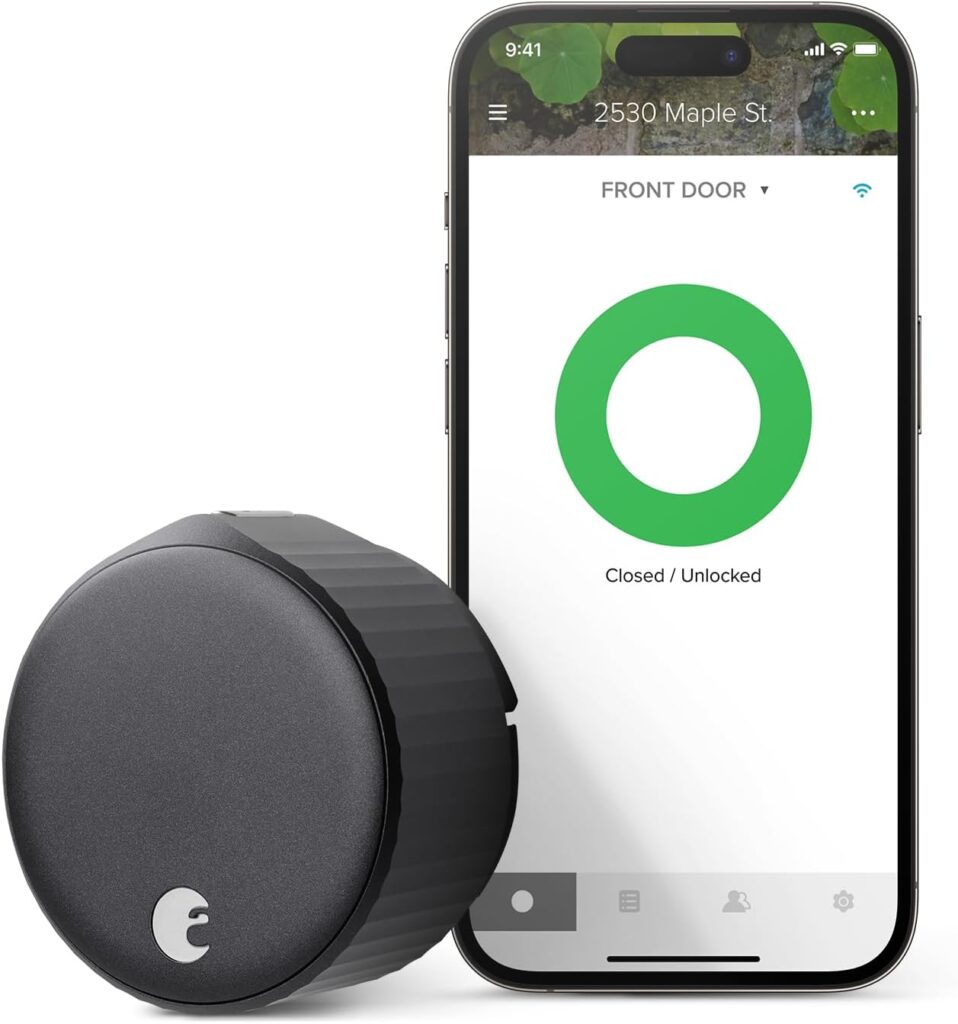
August Smart Lock: Features, Security, Pros and Cons
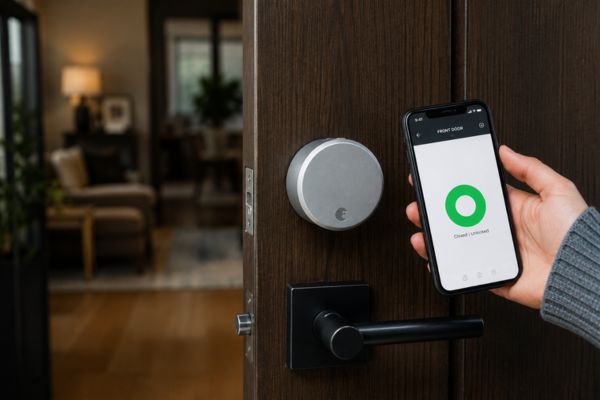
August Smart Lock If you are considering upgrading your home security, this August Smart Lock will help you understand whether…
FAQ
Yes, technically — but modern smart locks from reputable brands use AES-128 or AES-256 encryption, making successful hacking extremely difficult. The far more common threat is physical forced entry. Enabling two-factor authentication and keeping firmware updated closes the most realistic digital vulnerabilities.
Smart locks match traditional deadbolts on physical security (both are BHMA rated) while adding advantages traditional locks can’t offer: access logs, temporary codes, auto-lock, and remote monitoring. With proper setup, a smart lock is at least as safe as a traditional lock and more capable in practical everyday security.
Most smart locks provide low-battery alerts weeks before failure. When the battery does die, most models have a fallback: an external 9V emergency battery port, a physical key backup, or a Bluetooth-only mode. Check your specific model’s backup options before installation.
Bluetooth-only smart locks work without Wi-Fi entirely. Wi-Fi connected locks require an internet connection for remote access but typically fall back to Bluetooth or PIN entry if Wi-Fi is unavailable. Locks running Z-Wave or Zigbee require a hub but not a direct internet connection.
Schlage, Yale, August, and Kwikset are the most consistently recommended US brands for security. All publish their encryption standards, maintain active firmware update programs, and carry BHMA Grade 1 ratings. Schlage’s Encode Plus is frequently cited by security professionals as the strongest combination of physical and digital security in the US residential market.