The average American spends over 37 hours a year vacuuming. Another 100+ hours on laundry. Countless more on meal planning, grocery shopping, and keeping the kitchen running.
Smart appliances don’t eliminate housework. But the best ones take the most repetitive, lowest-value parts of it completely off your plate.
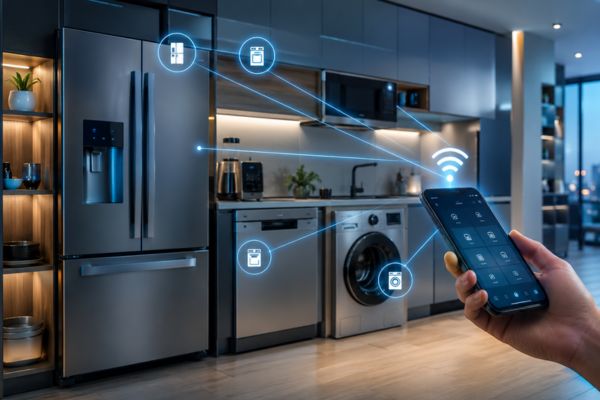
A robot vacuum runs its cleaning route while you’re at work and docks itself when it’s done. A smart refrigerator tracks what’s inside, alerts you when something’s about to expire, and can add items to your grocery list automatically. A smart washer starts a load at off-peak energy hours without you scheduling it.
This guide covers every major smart appliance category what actually makes an appliance “smart,” which categories are worth the premium, and what to look for before you buy in 2026.
What Actually Makes an Appliance “Smart”?
Walk into any appliance retailer in 2026 and nearly every product on the floor carries a “smart” label. But the word means very different things depending on the product and understanding the difference helps you avoid paying a premium for a feature you’ll never use.
At minimum, a “smart” appliance has one or more of these capabilities:
Remote control via smartphone app The most basic smart feature — control and monitor the appliance from your phone, whether you’re in the next room or across the country. Start the washer from the office. Check if the oven is still on from your car. Useful, but table stakes in 2026.
Scheduling and automation The appliance can run on a timer or trigger automatically based on conditions — time of day, your location (geofencing), or a signal from another device. A smart dishwasher that starts at 11pm when electricity rates drop. A robot vacuum that begins its route the moment your phone leaves the house.
Usage monitoring and diagnostics The appliance tracks its own performance and alerts you to issues before they become breakdowns — a washing machine that detects an imbalanced load, a refrigerator that notices its door has been left open, a vacuum that maps areas it couldn’t reach and tells you why.
AI and learning capabilities The appliance adapts to your behavior over time. A smart oven that learns your preferred cooking temperatures. A robot vacuum that builds a map of your home and refines its route with every clean. A refrigerator that notices your shopping patterns and suggests grocery items accordingly.
Smart home integration The appliance connects to your ecosystem (Alexa, Google Home, Apple HomeKit) and participates in whole-home automations a dishwasher that can be started by voice command, a washer that sends a notification to your smart display when the cycle finishes.
Which Smart Features Are Actually Worth Paying For?
Not all of these capabilities add equal value. Here’s a quick honest assessment:
Worth it in almost every case:
- Scheduling and automation – saves real time and energy costs
- Usage monitoring and alerts – prevents problems and wasted cycles
- Smart home integration – adds convenience that compounds with the rest of your setup
Worth it depending on usage:
- Remote control – genuinely useful for heavy users; less valuable if you’re usually home
- AI learning features – best in categories where behavior genuinely varies (vacuums, ovens); less impactful in simple on/off appliances
Often
overhyped:
- Built-in screens and cameras in appliances – internal fridge cameras degrade over time and rarely replace actually opening the door; interactive cooktop screens get greasy and are rarely used after the first month
Smart Refrigerators – The Connected Hub of Your Kitchen
The refrigerator is the most-opened appliance in your home — the average American opens theirs 15–20 times per day. It’s also the largest energy consumer in the kitchen, running 24 hours a day, 365 days a year.
A smart refrigerator adds connectivity, monitoring, and convenience features to an appliance that already dominates both the budget and the kitchen floor plan.
What Smart Refrigerators Can Actually Do
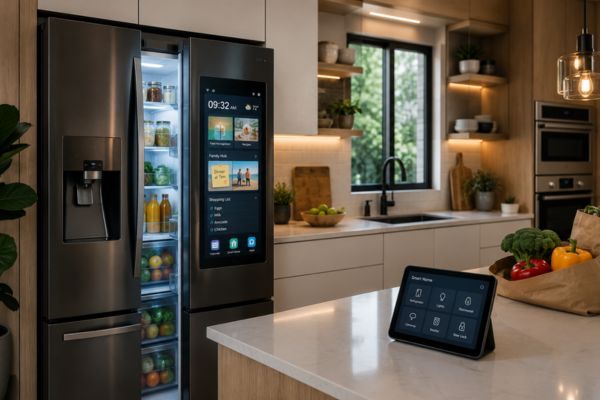
Internal cameras Two or three cameras inside the fridge snap photos every time the door closes, building a real-time inventory you can check from your phone. Standing in the grocery store aisle wondering if you have eggs? Open the app and see for yourself. Useful in practice — not just a gimmick.
Inventory tracking and expiration alerts Higher-end models with AI can identify items, track approximate quantities, and alert you when something is close to its use-by date. In practice, this feature varies significantly in accuracy across brands — Samsung’s Family Hub is the most developed implementation in the US market.
Family Hub display screen Samsung’s Family Hub line features a large touchscreen on the door that functions as a digital family notice board — shopping lists, calendars, notes, and photo slideshows. It also mirrors a smartphone screen and can stream music or video. More lifestyle device than pure appliance; worth it for households that would actively use the display as a communication hub.
Smart home integration Add items to shared grocery lists via voice command (“Alexa, add milk to the shopping list”). Receive alerts on your phone when the fridge door is left open. Monitor temperature remotely — useful when you’re traveling and want to confirm your food is staying cold during a power fluctuation.
Energy monitoring Track the refrigerator’s energy consumption over time. Older refrigerators are frequently the largest single energy consumer in a home; a smart fridge with energy monitoring makes this visible and lets you compare against ENERGY STAR benchmarks.
Is a Smart Refrigerator Worth the Premium?
The honest answer: it depends on how you use your kitchen.
Strong case for a smart refrigerator if:
- You have a large household with complex grocery management
- You frequently travel and want remote monitoring
- You want a kitchen communication hub (calendar, notes, music) and the Family Hub concept appeals
- You’re buying a new refrigerator anyway and the premium over a comparable non-smart model is under $300
Weaker case if:
- You’re buying primarily for the internal cameras and inventory tracking these features work best in controlled conditions and require consistent maintenance to remain accurate
- Your household is small and grocery management is simple
- You already have other kitchen screens (tablet, smart display) that serve similar purposes
Robot Vacuums – The Appliance That Actually Replaces a Chore
Of all the smart appliances on this list, the robot vacuum has the strongest claim to genuinely replacing a household task rather than just making it marginally more convenient.
A well-configured robot vacuum runs on a schedule, cleans your floors while you’re at work, returns to its dock to charge, and empties itself into a self-clean base that only needs to be emptied every 30-60 days. You stop vacuuming. Not sometimes. Essentially entirely.
How Modern Robot Vacuums Have Evolved
The early robot vacuums of the 2010s bounced around randomly until they hit something or fell down stairs. The current generation is fundamentally different:
- LiDAR and camera mapping Modern premium robot vacuums (including the iRobot Roomba i7+, Roborock S8, and Ecovacs Deebot series) build precise floor plans of your home using LiDAR sensors or camera-based SLAM mapping. They know exactly where they’ve cleaned and where they haven’t. You can view and edit the map in the app.
- Room-specific scheduling Once your home is mapped, you can schedule individual rooms separately. “Clean the kitchen every day. Clean the living room every other day. Clean the bedrooms on weekends.” The vacuum executes this without you doing anything after the initial setup.
- No go zones and virtual boundaries Draw a no-go zone in the app around your dog’s water bowl, your kids’ toy area, or anywhere else you don’t want the vacuum entering. It respects the boundary every time.
- Auto-empty base stations The biggest quality-of-life upgrade in robot vacuums. The base station automatically extracts and bags the vacuum’s dustbin after every clean, storing dirt in a larger bag that only needs replacing every month or two. You truly set it and forget it.
- Mop combination units The newest generation of robot vacuums includes mopping capability — a water reservoir and pad that cleans hard floors while vacuuming. The better implementations (Roborock, Ecovacs) lift the mop pad automatically when transitioning to carpet so they don’t wet your rugs.
What to Look for When Buying a Robot Vacuum
LiDAR
Mapping over random navigation worth paying for if you have a larger home or multiple rooms
Auto empty base
The single most impactful feature for long-term daily use
Multi floor mapping
Essential for two-story homes; allows saving separate maps for each floor
Pet hair performance
If you have pets, check specifically for tangle-free brush rolls; pet hair is the most common point of vacuum failure
App quality
The app is how you interact with your robot vacuum daily; a poorly designed app undermines an otherwise excellent device
Alexa and Google Home
For voice triggered cleans and integration with your home automations
Is a Robot Vacuum Actually Worth the Investment?
- At the entry level ($200–$350 for a basic mapping model), yes — almost unconditionally for anyone who vacuums regularly. The math is simple: if you vacuum once a week and it takes 30 minutes, a robot vacuum that does it daily saves you over 26 hours per year.
- At the premium level ($500–$800 for auto-empty, high-end mapping, and mop combo models), the calculus depends on your home size and floor type. For larger homes with mixed carpet and hard floors, the premium tier earns its price quickly.
Smart Washing Machines and Dryers – Laundry That Runs on Your Schedule
Laundry is the household task with the longest total time commitment not because individual cycles take long, but because the cycle of washing, drying, folding, and putting away requires multiple return trips to the laundry room across hours.
Smart washers and dryers don’t fold your clothes. But they meaningfully reduce the friction of every other step.
What Smart Laundry Appliances Actually Add
Remote start and monitoring Start a load from anywhere — from your office when you realize you forgot to start the washer before leaving, or from bed when you want to time the cycle to finish before you wake up. App notifications tell you the moment each cycle completes so clothes don’t sit damp.
Cycle recommendations Smart washers analyze the load weight and suggest the optimal cycle and water temperature. Some models can read RFID tags on clothing (a developing feature) to detect fabric types and adjust automatically.
Off-peak scheduling Set the washer or dryer to start automatically during off-peak energy hours. In states with time-of-use pricing (California, Texas, and others), this is a meaningful ongoing cost reduction.
Maintenance alerts Smart appliances monitor their own components and alert you to potential issues — a clogged drain pump, a worn drum bearing, or a filter that needs cleaning — before they become expensive repair calls.
Smart home integration A washer that announces “laundry cycle complete” through your Echo Show in the kitchen is a small but genuinely useful quality-of-life feature. Combined with smart plugs and energy monitoring, you can also track exactly what your laundry appliances cost to run per month.
Which Smart Laundry Features Are Most Valuable?
Remote monitoring and cycle-complete notifications are the features most users cite as most useful day-to-day. Off-peak scheduling is valuable in TOU pricing areas. Cycle recommendations add modest value. Remote start is useful situationally.
The appliance brands with the strongest smart implementations in the US market currently: Samsung (SmartThings integration), LG (ThinQ platform), and Whirlpool (built-in WiFi Connect with Alexa and Google Home support).
Smart Dishwashers – Run at the Right Time, Know When It’s Done
The smart features in dishwashers are more modest than in refrigerators or vacuums — but the features that exist are genuinely practical.
What Smart Dishwashers Offer
- Remote start and monitoring Start a cycle from your phone after loading the dishwasher and walking away. Check cycle status without going back to the kitchen. Receive a notification when the cycle completes.
- Cycle-complete notifications The most-used smart dishwasher feature by a significant margin. Knowing exactly when the dishes are clean — rather than walking back to check — is a small but consistent daily time saver.
- Off-peak scheduling Run the dishwasher at midnight when energy rates are lower. Set it once; it runs automatically every night at your chosen time.
- Leak detection Smart dishwashers from brands like Bosch and Samsung include leak detection sensors that shut off water supply and alert your phone if a leak is detected beneath the unit — potentially preventing significant water damage.
- Detergent auto-ordering Some Samsung models can monitor detergent levels and trigger an automatic Amazon order when supplies run low — a small automation, but indicative of the direction smart appliances are heading.
Build a Smarter Home, One Appliance at a Time
The best smart appliances combine convenience, connectivity, and practical features that make everyday life easier. Whether you’re investing in a smart refrigerator, a robot vacuum, or other connected devices, our guides and reviews help you find products that fit your lifestyle and budget.
Explore expert recommendations, product reviews, and buying guides to create a smarter and more efficient home.
Smart Ovens and Cooking Devices – Precision Without the Guesswork
Smart cooking appliances bring precision and convenience to the part of home management most people find the most demanding: actually preparing meals.
Smart Ovens
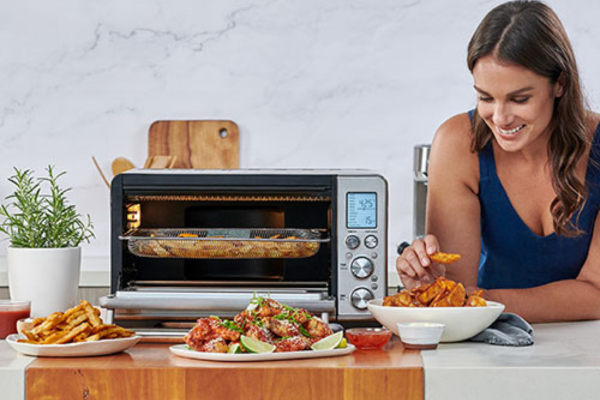
Modern smart ovens connect to Wi-Fi and add:
Remote preheat Tell your oven to start preheating from the grocery store checkout line. Walk in, put the food in, walk away. Small change, meaningful daily convenience.
Internal temperature probes Smart ovens with built-in meat probes monitor the internal temperature of what you’re cooking and automatically switch to keep-warm mode the moment it reaches your target temperature — eliminating the main cause of overcooked meat.
Guided cooking modes Scan a barcode on a frozen meal or search a recipe in the oven’s app, and the oven sets itself to the correct temperature, mode (convection, bake, broil), and duration. More useful than it sounds for people who cook from recipes regularly.
Air fry modes Now standard on most smart ovens — delivers the function of a separate air fryer without the counter space.
The leading US smart oven brands are GE Profile, Samsung, LG, and Whirlpool, all with varying degrees of smart integration through their own apps and Alexa/Google Home.
Smart Air Fryers, Instant Pots, and Countertop Devices
Smaller countertop smart cooking devices smart air fryers, smart Instant Pots, smart coffee makers — add app control, scheduling, and recipe guidance to appliances that are already popular.
The honest assessment: These are convenience features rather than transformative ones. A smart coffee maker that starts brewing before your alarm goes off is genuinely pleasant. A smart air fryer with 500 preset recipes you’ll never use is a feature you pay for and ignore.
Buy these for a specific feature you know you’ll use — morning scheduling for the coffee maker, precise temperature for the sous vide, remote monitoring for the slow cooker. Don’t buy for a feature list.
Smart Cleaning Devices Beyond the Robot Vacuum
The robot vacuum gets most of the attention in smart cleaning, but it’s not the only appliance category worth knowing about.
How to Choose Smart Appliances That Work Together
The biggest mistake buyers make with smart appliances is choosing devices that work well individually but can’t coordinate with each other or with the rest of the smart home.
Is a Smart Appliance Always Worth the Premium?
The honest answer: not always. Here’s a framework for evaluating the premium on any smart appliance.
When Smart Features Earn the Price Difference
The task genuinely changes: A robot vacuum doesn’t just make vacuuming easier — it eliminates the need to vacuum manually. That’s a category-level change in behavior, not a marginal convenience. Worth the premium.
You’ll use the smart features daily: A smart washer whose primary value is app notifications and off-peak scheduling — and you use those features regularly — justifies the premium. A smart appliance where you open the app twice and never again does not.
Integration compounds the value: A smart dishwasher that stands alone is a modest convenience. A smart dishwasher that integrates with your energy monitor, runs automatically at off-peak hours, and notifies your kitchen display when it’s done is a component of a system. System value is always higher than isolated device value.
The energy savings offset the cost: For smart thermostats, smart plugs, and smart washers with off-peak scheduling, the energy savings over the appliance’s life can genuinely offset the premium. Run the math: how much will you save per year, and does that justify the price difference over the expected appliance life?
When the Premium Isn’t Worth It
The core product isn’t excellent: Smart features don’t compensate for a refrigerator that doesn’t cool efficiently or a vacuum that misses corners. Evaluate the appliance first, the smart features second.
The ecosystem integration is shallow: Some “smart” appliances offer little more than a companion app with on/off control. If there’s no scheduling, no automation, no integration with your home ecosystem, and no usage data — you’re paying for marketing, not capability.
You won’t change your behavior: Smart features only create value when they change how you use the appliance. If you know you won’t use the scheduling features, won’t check the app, and won’t build any automations — the smart premium adds no value for your specific situation.
The Most Common Smart Appliance Mistakes (And How to Avoid Them)
Mistake 1: Buying smart without checking ecosystem compatibility
A smart refrigerator that only works in Samsung SmartThings when your home runs on Alexa creates an isolated device that can’t participate in any of your automations. Always check compatibility before purchasing.
Mistake 2: Ignoring app reviews The hardware might be excellent
The hardware might be excellent; the app might be terrible. Check App Store and Google Play reviews specifically for the companion app — not the product itself — before purchasing any smart appliance.
Mistake 3: Overpaying for features you won’t use
Internal fridge cameras, interactive door screens, and advanced AI recipe suggestions all add cost. Be honest about which features you’ll actually use daily vs. which ones seem impressive in the store.
Mistake 4: Neglecting robot vacuum maintenance
Robot vacuums are not entirely maintenance-free. Brush rolls need cleaning every 2–4 weeks. Filters need replacing every 1–2 months. Self-empty base bags need swapping every month or two. Skipping maintenance leads to reduced suction, missed spots, and premature motor wear.
Mistake 5: Placing the robot vacuum dock in a bad location
The dock needs clear space in front of it (at least 2 feet) and reliable Wi-Fi coverage. Placing it in a closet, corner, or Wi-Fi dead zone causes docking failures and missed scheduled cleans. Central, open placement on the room’s primary floor is almost always best.
Mistake 6: Buying smart cleaning devices for carpeted homes
Robot mops are hard-floor only. If most of your home is carpeted, a robot vacuum is the right smart cleaning investment. Mops — standalone or combo — add value proportional to the amount of hard floor in your home.
Mistake 7: Not setting up automations after purchase
Smart appliances in their default state are convenient. Smart appliances with configured automations are transformative. Spend 30 minutes setting up schedules and routines after every smart appliance purchase — it’s where the majority of the long-term value lives.
The Best Smart Appliances for 2026
Our top picks across every category, based on hands-on testing and real-world performance.
Best Smart Refrigerators
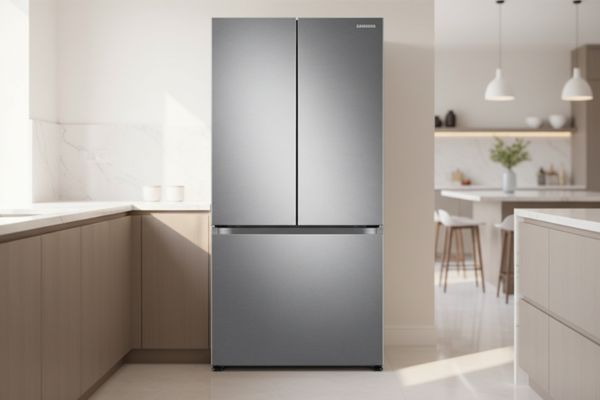
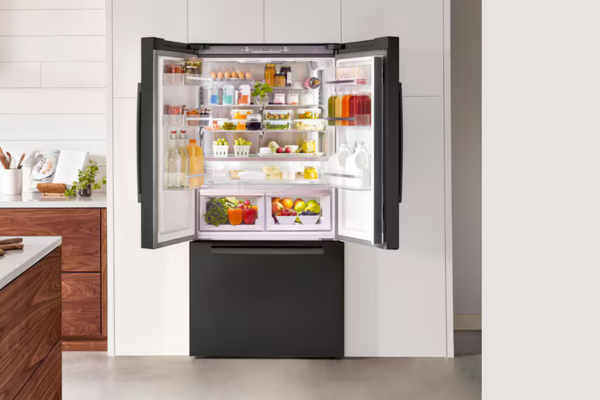
Samsung Family Hub Refrigerator Review
Read More →
Best for: Large households wanting a kitchen hub with inventory management and family communication features
Best Robot Vacuums
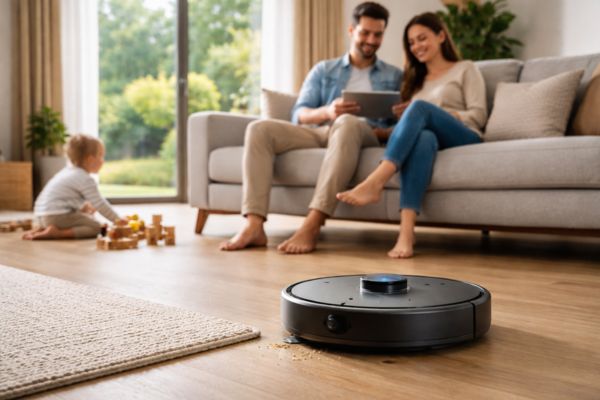
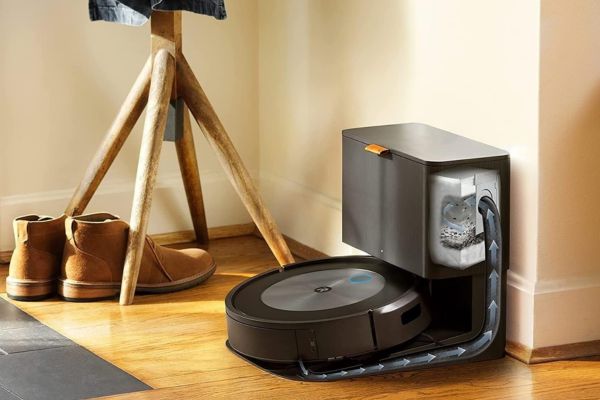
- Best budget pick: Roomba 694 or Eufy 11S Max (~$180–$220)
- Best premium pick: Roborock S8 Pro Ultra or iRobot Roomba j9+ (auto-empty, mop combo)
Best Smart Washers
- LG WashTower (best for small spaces with stacked units)
- Samsung FlexWash (best for large households)
- Whirlpool Smart Capable (best for Alexa-first households at a mid-range price)
Best Smart Dishwashers
- Bosch 500 Series with WiFi Connect (best overall reliability + smart features)
- Samsung StormWash+ (best Samsung ecosystem integration)
- GE Profile with SmartHQ (best for GE Appliances households)
- Best Smart Air Purifiers
- Dyson Purifier Hot+Cool — best for combined heating, cooling, and purification
- Winix 5500-2 — best value with smart features for everyday use
- Blueair Blue Pure 211i Max — best for large rooms with serious air quality concerns
Frequently Asked Questions About Smart Appliances
It depends on the appliance and how you’ll use it. Robot vacuums deliver some of the strongest ROI of any smart home device — they genuinely replace a time-consuming regular chore. Smart refrigerators and washers add real value through scheduling, monitoring, and integration but require actual behavior change to deliver it. The questions to ask: Will I use the smart features regularly? Does this device integrate with my ecosystem? Does the core product perform well regardless of its smart features?
Most smart appliance features work without a monthly fee — the app, scheduling, remote control, and smart home integration are typically included in the purchase price. Some manufacturers offer optional premium tiers with extended warranty coverage, priority support, or advanced AI features. Always check whether the features you care about require a subscription before purchasing.
Any connected device carries some theoretical security risk. To reduce exposure: keep firmware updated automatically, use a strong unique password for your appliance accounts, and connect smart appliances to a dedicated IoT network (most modern routers support a separate IoT network that isolates smart home devices from computers and phones). Reputable brands patch known vulnerabilities regularly.
With proper maintenance (regular brush roll cleaning, filter replacement, and battery care), a quality robot vacuum should last 4-7 years. The battery is typically the first component to degrade — replacement batteries for popular models like the Roomba series cost $30–$60 and can extend the vacuum’s life by several more years.
Most modern robot vacuums handle low-to-medium pile carpet well. Thick shag carpet and very high-pile rugs present challenges for some models — the vacuum may struggle to navigate or lose suction. If you have thick carpet throughout your home, check specifically for vacuum models with high suction ratings (2,500+ Pa) and rubber brush rolls designed for carpet performance. Read carpet-specific user reviews before purchasing.
Yes, particularly in a few categories. Smart washers and dishwashers with off-peak scheduling reduce energy costs in time-of-use pricing areas. Smart refrigerators with energy monitoring help identify high-consumption behavior. Smart air purifiers run at minimum speed when air quality is good rather than continuously at high power. The biggest direct energy impact from appliances remains with smart thermostats — but smart appliances contribute meaningfully to a whole-home efficiency strategy.
A robot vacuum — for most households. It has the clearest and most immediate impact on daily life (you stop vacuuming), the most mature technology at accessible price points, and the strongest autonomy once set up. It’s also the smart appliance with the most consistent positive user reviews across price tiers, which is a reliable signal of genuine value delivery.
Ready to Take the Most Repetitive Parts of Home Management Off Your Plate?
You don’t need to upgrade every appliance at once. Start with one category — the one where you’d feel the most relief from automation — and build from there.
Explore the full Smart Appliances guide:
[What Makes an Appliance Smart? A Plain-English Explanation]
[Smart Cleaning Devices Explained: Vacuums, Mops, and More]
[Best Smart Refrigerators 2026: Full Comparison]
[Best Robot Vacuums 2026: Every Budget Covered]
[Samsung Family Hub Refrigerator Review]
[iRobot Roomba i7+ Review: Is It Worth the Price?]