
Best Smart Locks for Apartments: Renter-Friendly Options Compared
Disclosure: Some links here are affiliate links. We may earn a commission at no extra cost to you. As an Amazon Associate, AutomateVerge earns from qualifying purchases. Read our affiliate disclosure.
Renting makes a smart lock harder to choose. You usually don’t own the deadbolt, you may not be allowed to change it, and whatever you install has to come off cleanly when you move out.
The most useful question to ask is not “which lock is best?” but “does this lock change my door hardware?” That splits the options into two groups:
- Retrofit locks attach to the inside of your existing deadbolt. Your outside lock and keys stay as they are.
- Replacement locks swap out your deadbolt, or the working parts inside it. They are often better locks, but you need your landlord’s written permission first.
Quick picks
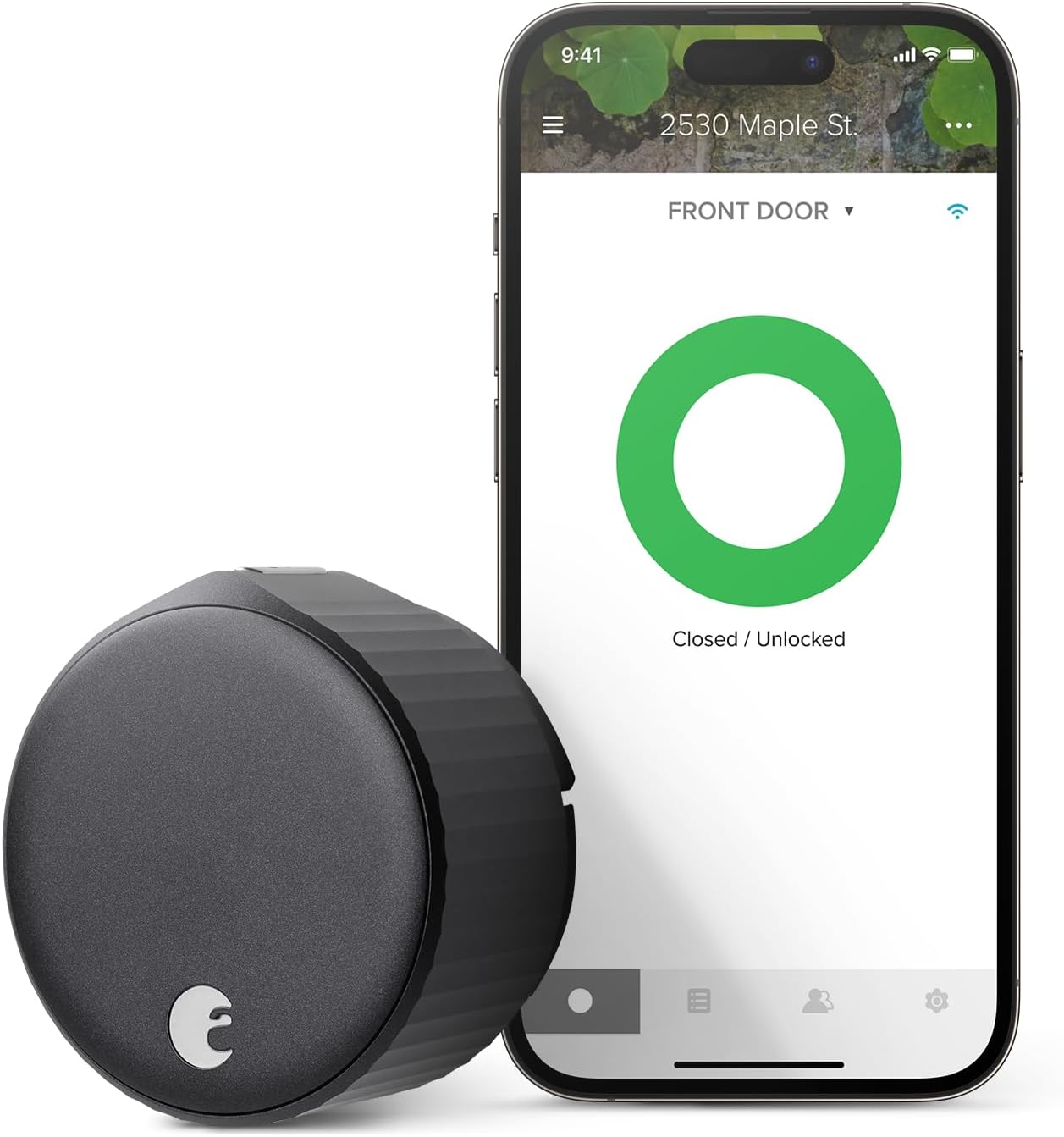
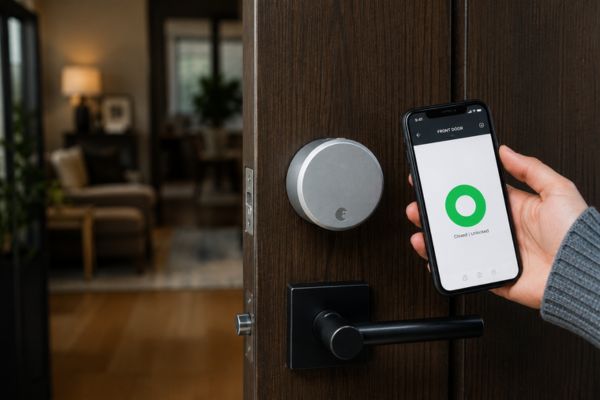
- Retrofit, with remote access built in: August Wi-Fi Smart Lock
- Retrofit, for people who want Matter and may add a keypad later: SwitchBot Lock Pro
- Best features, if your landlord agrees to a deadbolt swap: Yale Assure Lock 2
- Low price, no remote access needed, landlord agrees: Wyze Lock Bolt
- Matter and Thread, with your keys kept, landlord agrees: Level Bolt
How they compare
| Lock | Type | Landlord OK needed? | Remote access | Smart home | Battery (maker’s figure) | Listed price |
| August Wi-Fi Smart Lock | Retrofit | Check your lease | Built-in Wi-Fi | Alexa, Google, Apple Home | Up to about 3 months | $199.99 on August’s site (stock label said out of stock) |
| SwitchBot Lock Pro | Retrofit | Check your lease | Needs a SwitchBot hub | Matter via hub | 6 to 9 months | $119.99; keypad and hub extra |
| Yale Assure Lock 2 | Replaces the deadbolt | Yes | Needs an optional module | Alexa, Google, Apple Home; Matter via module | Four AA | Launch pricing was $159 to $179; modules extra |
| Wyze Lock Bolt | Replaces the deadbolt | Yes | None (Bluetooth only) | No Alexa or Google support listed | 10 to 12 months | $59.98 sale / $79.98 list; shown sold out |
| Level Bolt | Replaces the inner deadbolt hardware | Yes | Needs a Thread hub | Matter: Apple, Google, Alexa, SmartThings | One CR2 | $129.99 to $199.99 (listings differ) |
Retrofit locks: no change to your outside lock
August Wi-Fi Smart Lock
Tom’s Guide says the Assure Lock 2 replaces your existing lock. The lock holds up to 250 keypad codes and is rated Grade 2 (ANSI/BHMA). Wi-Fi, Zigbee and Z-Wave are optional modules sold separately, and in that Matter was listed as a module that was coming.
Best for: renters whose landlord will allow a deadbolt swap and who want a keypad.
Heads up:
- Remote access needs a module (the Wi-Fi module was listed at $79 separately).
- Versions differ: touchscreen or keypad, keyed or keyless, and some versions add fingerprint or Apple Home Key. We couldn’t confirm Yale’s current lineup, so check Yale’s page for the exact model.
- If your landlord needs a key, choose a keyed version.
- Auto-unlock by phone proximity should be tested carefully, since notes it doesn’t ask for a second confirmation.
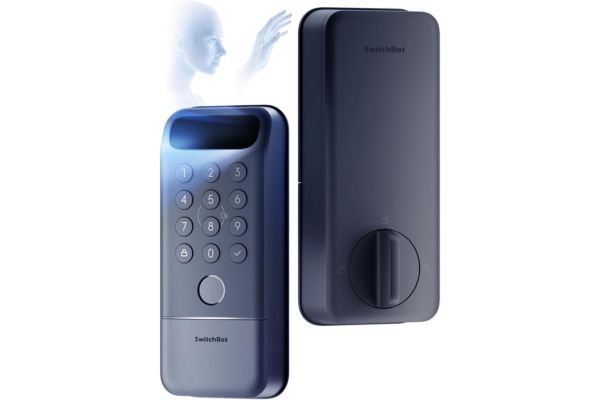
SwitchBot Lock Pro
SwitchBot describes the Lock Pro as a retrofit that keeps your original lock. The base lock is listed at $119.99 in the US. Matter, voice control through Siri, Alexa and Google, and real-time notifications need a SwitchBot hub, and the keypad is a separate purchase.
Best for: renters who want a retrofit lock with Matter and are fine adding a hub.
Heads up:
- SwitchBot’s product pages list several mounting parts (brackets, adaptors, a magnet and adhesive materials) and give inconsistent battery details, so check SwitchBot’s compatibility guide for your exact thumb turn before buying.
- A lock with a hub and keypad costs much more than the base price (the hub-and-keypad bundle was listed at $199.99).
- Battery: SwitchBot’s figure is 6 to 9 months.
Yale Approach (also worth a look)
Tom’s Guide’s roundup picks the Yale Approach as its best budget retrofit, installing alongside your existing deadbolt so you keep your keys and unlocking when your phone is nearby. It was listed at $139.99. We haven’t compared it in detail, so check Yale’s page for features and compatibility.
Replacement locks: better hardware, but ask first
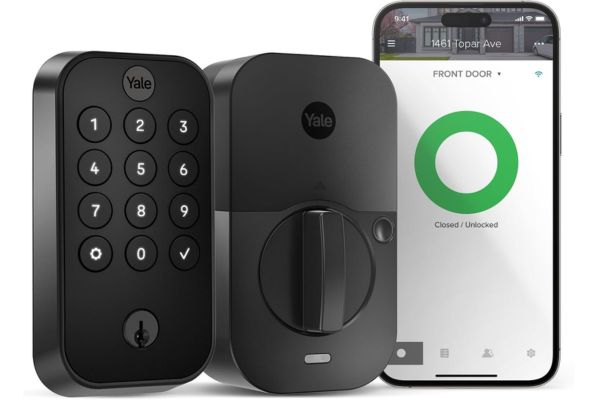
Yale Assure Lock 2
Tom’s Guide says the Assure Lock 2 replaces your existing lock. The lock holds up to 250 keypad codes and is rated Grade 2 (ANSI/BHMA). Wi-Fi, Zigbee and Z-Wave are optional modules sold separately, and in that Matter was listed as a module that was coming.
Best for: renters whose landlord will allow a deadbolt swap and who want a keypad.
Heads up:
- Remote access needs a module (the Wi-Fi module was listed at $79 separately).
- Versions differ: touchscreen or keypad, keyed or keyless, and some versions add fingerprint or Apple Home Key. We couldn’t confirm Yale’s current lineup, so check Yale’s page for the exact model.
- If your landlord needs a key, choose a keyed version.
- Auto-unlock by phone proximity should be tested carefully, since notes it doesn’t ask for a second confirmation.
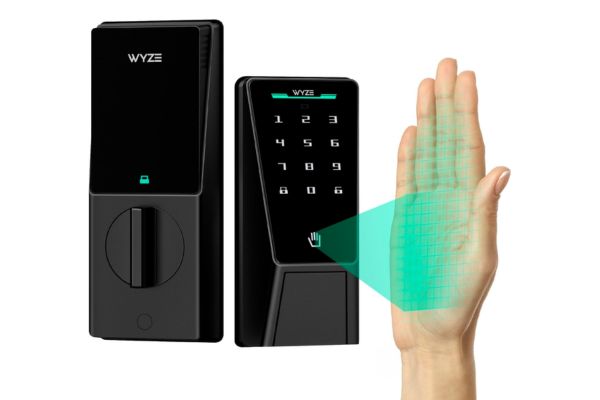
Wyze Lock Bolt
Wyze’s own page says the Lock Bolt replaces your existing deadbolt in about 20 minutes. It unlocks by fingerprint (up to 50), keypad code, or the app, runs on four AA batteries (10 to 12 months), and has a USB-C port for emergency power.
Best for: renters who only need local control and a low price, and whose landlord approves a replacement.
Heads up:
- It is Bluetooth-only. There is no remote access, and Wyze’s page lists no Alexa or Google support.
- Wyze’s page doesn’t mention a physical key, and a third-party listing says it has none. If so, your landlord couldn’t use a key to enter. Confirm this before buying.
- Wyze’s page shows it as sold out. A different product, the original Wyze Lock, is the one that attaches to an existing deadbolt. Check its current availability and requirements if you want a retrofit.
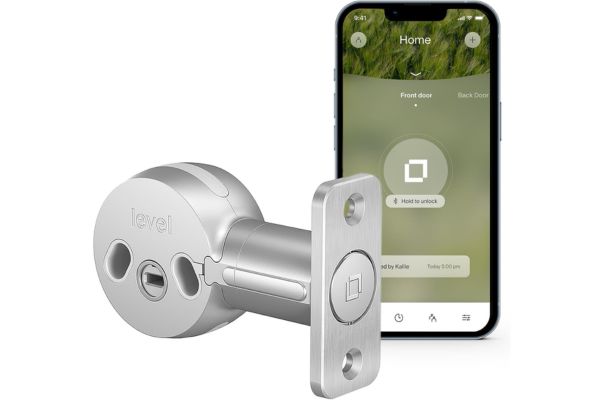
Level Bolt
Level’s listing says the Bolt replaces the inner deadbolt hardware with a screwdriver and keeps your keys. It runs on one CR2 battery and connects by Bluetooth and Matter over Thread, which works with Apple Home, Google Home, Alexa and SmartThings.
Best for: renters who want an unchanged-looking door, use Matter, and have landlord approval.
Heads up:
- Remote control needs a Thread border router and hub.
- Because it replaces parts inside the deadbolt, treat it as a modification that needs your landlord’s approval.
- Level’s page doesn’t list Apple Home Key for the Bolt. Check Level’s other models if tap-to-unlock matters.
- Price listings differ, from $129.99 to $199.99, so check before buying.
Costs to count before you buy
| Lock | What you may need to add |
| August Wi-Fi Smart Lock | Keypad (optional); spare CR123 batteries |
| SwitchBot Lock Pro | Hub for Matter and remote access; Keypad Touch for codes |
| Yale Assure Lock 2 | Wi-Fi or other module for remote access |
| Wyze Lock Bolt | Nothing for remote, because it has none |
| Level Bolt | Thread border router and hub for remote access |
How to choose
- Read your lease. Look for rules about locks, keys, door hardware and alterations. If it’s unclear, ask your landlord.
- Decide whether you need your landlord’s key to work. Retrofit locks and keyed replacement locks keep that option. A lock with no key cylinder may not.
- Pick your ecosystem. Alexa, Google Home or Apple Home users should check each lock’s compatibility list. Matter works across all four platforms but needs a hub.
- Choose your entry methods. Phone-only locks are easiest to give up on when the battery or phone dies. A keypad lets guests in without an app.
- Check your door. Measure your door thickness and check your existing thumb turn or deadbolt against the maker’s compatibility guide.
Should I tell my landlord?
Yes. This guide can’t tell you what your lease or local law allows, and hiding an installation can put your deposit or tenancy at risk. A short written request works well:
- Say which lock you want and whether it replaces the deadbolt or attaches to the inside.
- Offer to keep the original parts and put them back when you leave.
- Make sure the landlord or building manager still has a way in, such as a key or a code.
- Keep the reply in writing.
Rules about changing locks vary by state and city, and this isn’t legal advice.
Frequently asked questions
With a retrofit lock that leaves your outside cylinder alone, yes. With replacement locks it depends on the model: keyed versions of the Yale Assure Lock 2 and the Level Bolt (which keeps your keys) work with keys, but the Wyze Lock Bolt may not have a key cylinder.
Retrofit locks come off with the original parts underneath. For replacement locks, reinstall the original deadbolt or hardware you kept. Set a reminder to take the smart lock with you.
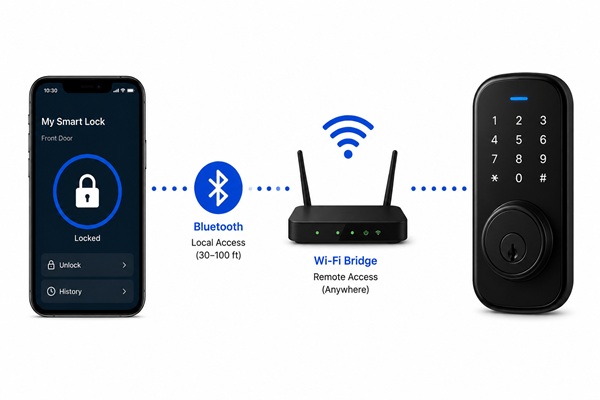
Not for basic local control with Bluetooth. For remote access you need Wi-Fi built in, or a hub or module.
Keep a physical key if your lock has one. Some locks have a USB-C or 9-volt emergency power connection (the Wyze Lock Bolt and Yale Assure Lock 2 both mention one). Replace batteries when the app warns you.
A smart lock controls the deadbolt only. A separate manual chain stays manual.
It is only as strong as the deadbolt it controls. If your existing deadbolt is weak, a smart lock adds convenience, not strength. For more, read how secure are smart locks.
Common mistakes
- Buying a replacement lock before asking. Get approval first.
- Counting only the lock price. Hubs, modules and keypads change the total.
- Assuming “no drilling” means “no changes.” Some locks replace parts inside the deadbolt.
- Choosing the lock before the ecosystem. Check compatibility first.
- Leaving the lock behind. Set a move-out reminder.
Browsing other brands? See our Kwikset smart lock guide, or read about connecting smart locks to Alexa. For the full picture, see our Security & Safety guide.
Also worth reading
How Secure Are Smart Locks? Pros, Risks & Safety Tips
August Smart Lock Review — Our Top-Tested Retrofit Pick