

Disclosure: This article contains affiliate links. If you purchase through qualifying links, AutomateVerge may earn a commission at no additional cost to you.
Disclosure: Some links here are affiliate links. We may earn a commission at no extra cost to you. As an Amazon Associate, AutomateVerge earns from qualifying purchases. Read our affiliate disclosure.
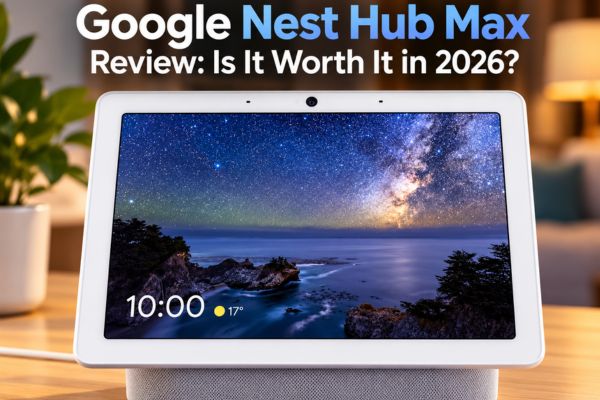
The Google Nest Hub Max combines a large touchscreen, a built-in camera, stereo speakers, and smart home controls in one countertop device. It was designed to help households manage everyday tasks, from following recipes to checking connected devices and making video calls.
But the device first launched in 2019. Does it still make sense to buy an older smart display, or would a newer alternative offer better value?
The answer depends on how you plan to use it. The Nest Hub Max has features that remain useful in a Google Home household, particularly its large display, camera, and built-in smart home controls. However, its age, app compatibility, and current price are important considerations before buying.
We’ll examine its specifications, practical uses, limitations, and the types of households that may benefit from it.
What Is the Google Nest Hub Max?
The Google Nest Hub Max is a smart display designed for shared spaces such as kitchens, living rooms, and family areas. It combines a touchscreen interface with voice control, media playback, video calling, and Google Home integration.
It is larger than the standard Google Nest Hub and includes a camera, making it suitable for households that want both a smart display and video-calling capabilities.
Here are its key specifications.
| Feature | Google Nest Hub Max |
|---|---|
| Display | 10 inch HD touchscreen |
| Resolution | 1280 × 800 |
| Camera | 6.5 megapixel camera |
| Camera features | Auto framing, Face Match and Quick Gestures |
| Audio | Stereo speakers with a dedicated woofer |
| Connectivity | WiFi and Bluetooth |
| Smart home features | Google Home hub functionality and Matter compatibility |
| Thread | Built in Thread border router |
| Privacy | Physical camera and microphone switch |
Specifications are based on Google’s published Nest Hub Max technical specifications. Feature availability can vary with software, region, account settings, and compatible devices.
The main appeal is convenience. Instead of reaching for a phone every time you need a timer, recipe, calendar reminder, or smart light control, you can access many everyday functions from one shared screen.
The Display: Useful for Everyday Tasks
The 10 inch touchscreen is one of the device’s defining features.
A larger screen is practical when you are cooking, following instructions, checking a calendar, or viewing photos from across a room. You can also use compatible media services to watch videos and listen to music while doing other tasks.
Google’s Ambient EQ light sensor adjusts the display’s appearance to suit the surrounding light. This helps the screen fit more naturally into different lighting conditions throughout the day.
However, the resolution is 1280 × 800. That is adequate for many smart display tasks, but it is not comparable to the sharper screens found on many modern tablets.
Who will appreciate the display?
- People who follow recipes while cooking.
- Families who want shared access to calendars and reminders.
- Google Photos users who enjoy displaying pictures around the home.
- Households that prefer voice-controlled access to everyday information.
If your main goal is watching long films or using a large selection of streaming apps, compare the available services carefully before choosing this device.
The Camera: Video Calls and Home Monitoring
The built-in 6.5-megapixel camera provides a wider range of uses than a display without a camera.
It supports compatible video-calling features, while auto-framing helps keep people in view during calls. This can be useful when family members move around a shared space instead of sitting directly in front of the screen.
The camera also supports Face Match and Quick Gestures. Depending on your settings and feature availability, these functions can personalize certain experiences or let you control media using gestures.
Another feature is the built-in Nest Cam functionality, which can allow you to check on a room remotely through a compatible Google Home or Nest setup.
There are limitations to understand. The device is not a replacement for every dedicated security camera, and some recording or notification features may require a subscription. Its built-in camera also lacks night vision, so it should not be treated as a complete night-time security solution.
You can read Google’s documentation on Nest Hub Max camera states and privacy controls.
What About Privacy?
A camera-equipped device in a kitchen or living room is not right for every household.
Google provides camera-sensing settings, an indicator light, and a physical switch on the back that disables both the camera and microphone. When the physical switch is off, camera and microphone functions are disabled until the switch is turned back on.
Keep in mind that disabling the microphone also prevents voice commands from working. You can view Google’s Nest and Home privacy information before deciding whether the device suits your household.
Sound Quality: More Than a Basic Speaker
The Nest Hub Max includes stereo speakers and a dedicated woofer. Its audio system is designed to provide more substantial sound than a simple small smart display.
For everyday use, that makes it a practical option for playing music during cooking, listening to podcasts, or watching compatible videos.
It is still important to consider the device’s purpose. Someone building a dedicated home audio system may prefer separate speakers, while a household that wants music and smart controls in one place may appreciate the integrated design.
The key question is whether you want a convenient all-in-one device or a product dedicated to delivering the best possible audio.
Google Home Integration and Smart Home Controls
The Nest Hub Max is designed to work as part of the Google Home ecosystem.
Depending on device compatibility and setup, you can use the display to access connected smart home controls, check device status, and interact with supported products using voice commands or the touchscreen.
For example, a household might use a compatible smart light system, a smart thermostat, and other connected devices. Having controls available on a shared display can reduce the need to find a phone whenever someone wants to adjust a setting.
Does the Nest Hub Max Support Matter?
Yes. Google’s published specifications list Matter compatibility and a built-in Thread border router.
These technologies help compatible smart home devices communicate within supported setups. However, Matter support does not guarantee that every device will work with every feature automatically. Compatibility can depend on the product, its software, the setup process, and the specific functions you want to use.
Before buying a new smart home device, check its compatibility requirements rather than assuming that a Thread border router or Matter support resolves every connection issue.
For more information, consult Google’s official Nest Hub Max specifications.
Why the Kitchen Is a Natural Place for It
A kitchen is one of the more practical locations for a shared smart display.
When your hands are occupied, voice commands can help you set timers, ask questions, or control compatible devices. A large screen can also make recipes and other information easier to view than on a phone placed at the back of a counter.
The camera and speakers add other uses, including video calls and music playback.
However, the value depends on your routine. If you rarely use voice assistants, prefer a phone for recipes, or do not have compatible smart home devices, a dedicated smart display may not add enough convenience to justify its cost.
The best reason to buy one is a clear everyday need, not simply the number of features listed on the product page.
What the Google Nest Hub Max Does Not Do Well
A useful view should explain the limitations as clearly as the benefits.
The Nest Hub Max launched in 2019. By 2026, that makes it an older product, so buyers should consider its age when comparing prices and features.
An older device can still meet everyday needs, but its age is a reason to check current software functionality, service compatibility, and the availability of alternatives before paying a premium.
The Nest Hub Max supports compatible Google Meet calling features, but you should not assume that every video-calling service or meeting workflow is available.
If your household relies on Zoom, FaceTime, or another specific platform, verify compatibility before buying. A device that cannot support your usual calling service may not be useful for your intended purpose.
The Nest Hub Max can play supported video content, but a smart display is not the same as a television or dedicated streaming device.
Available apps and playback features can change. Check the services you actually use before purchasing, particularly if streaming is the primary reason you want a screen.
Although the camera adds video calling and monitoring capabilities, some people will prefer not to place a camera in a shared living space.
The physical privacy switch is helpful, but disabling the camera and microphone also removes some of the functions that distinguish the Max from a camera-free smart display.
Because the device is several years old, the price matters as much as the feature list.
A substantial discount may make it worth considering for someone who wants a Google-focused smart display. At a price close to newer alternatives, it becomes more important to compare features, service compatibility, warranty coverage, and expected use.
Check the current price and seller information before making a decision.
Google Nest Hub Max vs. Amazon Echo Show
The Amazon Echo Show range is a natural alternative for shoppers comparing smart displays.
The right comparison depends on the particular Echo Show model, since screen sizes, camera features, mounting options, and smart home capabilities differ across the range.
| Consideration | Google Nest Hub Max | Amazon Echo Show |
|---|---|---|
| Smart home ecosystem | Designed around Google Home | Designed around Alexa |
| Built in camera | Yes | Depends on model |
| Screen size | 10 inches | Depends on model |
| Matter and Thread | Google lists both Matter compatibility and a built in Thread border router | Support varies by model |
| Video calling | Compatible Google Meet features | Supported services vary by model |
| Best reason to compare | Existing Google Home setup | Existing Alexa setup or a specific Echo Show feature |
Rather than choosing by brand name alone, compare the exact models against your existing devices, preferred voice assistant, video-calling services, and budget.
If your home already uses Google Home, the Nest Hub Max may fit naturally into your setup. If your household relies on Alexa, compare an Echo Show model that supports the functions you need.
Who Should Buy the Google Nest Hub Max?
The Nest Hub Max may suit you if:
- Your household already uses Google Home and compatible smart devices.
- You want a shared screen for recipes, reminders, photos, and everyday information.
- You would use its camera for supported video calls or occasional room monitoring.
- You prefer a combined smart display and speaker rather than separate devices.
- You find it at a price that reflects its age and current capabilities.
You may want to consider alternatives if:
- You need a specific video-calling service that the device does not support.
- You primarily want a television replacement or a dedicated streaming screen.
- You prefer a camera-free smart display.
- You rely on Alexa and want deeper integration with that ecosystem.
- You want the newest hardware and are willing to pay for a newer model.
Frequently Asked Questions
It may be worth considering if you want a 10 inch Google Home smart display with a camera and useful everyday controls. Its age, current price, and compatibility with the services you use should all factor into the decision. Compare it with newer alternatives before buying.
Yes. Its built-in Nest Cam functionality can support remote room monitoring through a compatible setup. Some recording and notification features may require a subscription, and the built-in camera does not offer night vision. It should not automatically be considered a replacement for a dedicated security camera.
The Nest Hub Max is designed around Google’s smart home ecosystem, not Alexa. If Alexa is your primary voice assistant, compare compatible Echo Show models instead of assuming the two systems offer equivalent integration.
The device supports compatible Google Meet calling features. Do not assume it supports Zoom, FaceTime, or every meeting workflow. Verify the specific calling functionality you need before purchasing.
Yes. Google’s published specifications list Matter compatibility and a built-in Thread border router. Individual device compatibility and features still depend on the product and setup requirements.
Basic smart display functions do not all require a paid subscription. However, certain camera recording, notification, or other service features may require a qualifying Google Home subscription. Check the requirements for the particular feature you plan to use.
Final Verdict: Should You Buy It?
The Google Nest Hub Max remains a device worth evaluating if your household wants a large Google Home display with a built-in camera, stereo speakers, and shared controls.
Its most relevant benefits are convenience and integration. It can bring several everyday tasks into one place instead of requiring separate devices for every function.
Its age is also a real consideration. The 2019 hardware, service compatibility, privacy preferences, and current asking price should all influence your decision. Buyers who need newer features or different video-calling services may find a newer alternative more suitable.
Our recommendation: Check the current price, confirm that the features you need still work with your preferred services, and compare it with an alternative from the same price range before buying. The Nest Hub Max makes the most sense when its specific capabilities match the way your household actually uses technology.