
Disclosure: Some links here are affiliate links. We may earn a commission at no extra cost to you. As an Amazon Associate, AutomateVerge earns from qualifying purchases. Read our affiliate disclosure.
There’s a good chance something in your living room is costing you money right now. Not because it’s running because it’s plugged in.
Your TV, your gaming console, your cable box, your printer even when you’ve pressed the power button and walked away, most of these devices don’t actually turn off. They go into standby mode. They keep a little light on, stay warm, wait for a signal. And while they’re waiting, they’re drawing power.
This quiet drain has a name: vampire power. The average US household pays up to $100 per year for electricity wasted by devices left plugged in, according to the US Department of Energy. Spread across a whole year, it’s one of those costs that’s easy to ignore because it never shows up as a single line on your bill it just quietly inflates the total.
A smart plug is the simplest fix. It costs $15-$25, installs in seconds, and cuts the power to whatever’s plugged into it on a schedule you set once and never touch again. No electrician. No wiring. Just plug it in and tell it what to do.
This guide explains what smart plugs actually do, where they make the biggest difference, and how to get started without overcomplicating it.
What Is a Smart Plug, Exactly?
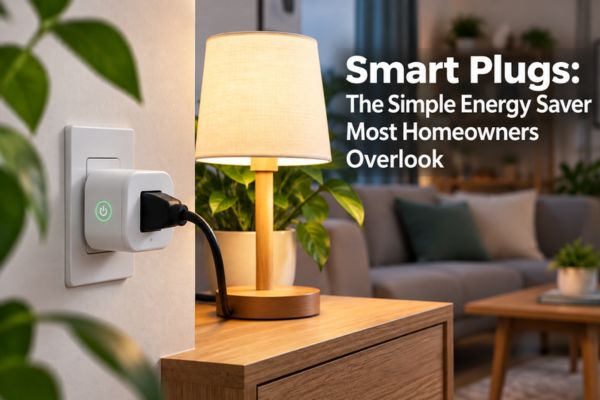
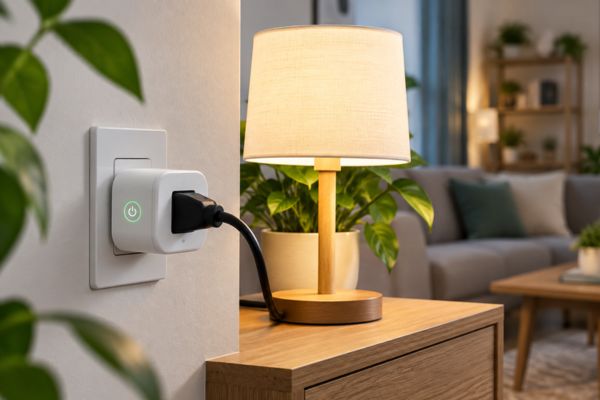
A smart plug is a small device that sits between your wall outlet and whatever you plug into it. It looks like a chunky adapter. In use, it’s invisible.
What it does is give you control over that outlet from your phone, from a timer, from a voice command, or from an automation that fires automatically based on conditions you’ve set. The device plugged into it doesn’t need to be smart. Your regular lamp, your regular coffee maker, your regular TV all of them become controllable the moment you put a smart plug in between.
That’s the whole concept. Simple hardware doing a simple job but doing it automatically, consistently, and without you having to remember anything.
The Vampire Power Problem (It’s Bigger Than You Think)
Before getting into what smart plugs can do, it’s worth understanding what they’re solving.
Most people assume that a device in standby is barely using any power. In a sense, that’s true for any individual device a TV in standby might draw 1-5 watts. A gaming console might draw 10-15 watts. A cable box often draws 15-30 watts even when “off.” None of these sound alarming on their own.
The problem is the total. The average US household has roughly 65 devices plugged in around the clock, drawing around 770 kilowatt-hours of phantom power every year. That’s not trivial. Standby power from unused devices can account for up to 10% of your electricity bill. In a home with a $2,000 annual electricity bill, that’s $160-$240 disappearing into devices you think are switched off.
Our testing uncovered four vampire loads totaling 103 watts of constant draw in a single living room: a cable box at 28W, an aging TV pulling 45W, a laser printer at 12W, and a gaming console at 15W. Running around the clock, that combination costs roughly $90 per year for electricity consumed while nobody is using any of them.
Once you see those numbers, the solution becomes obvious.
What a Smart Plug Actually Does for You
This is the key difference between a smart plug and just turning something off with its own remote or power button. Most devices in “off” mode are actually in standby they’re still drawing power, still waiting. A smart plug cuts the physical power supply to the outlet. The device goes fully dark, no draw at all, until the plug switches back on.
The most common setup is a simple schedule: the plug cuts power at a certain time every night and restores it in the morning. Your TV, soundbar, and streaming device get cut at midnight. Your coffee maker comes on at 6:45am. You set these once in the app, and they run every day without you touching anything.
Scheduling a coffee maker, seasonal lights, or a space heater to run only when needed is the simplest savings case. These small automations add up quietly not dramatically, but consistently, every single day.
Left the house and realized you forgot to turn off the space heater? If you leave the house and forget to unplug a few devices, you can check the app and shut them off remotely.
This isn’t just about energy. A space heater left running unattended is a safety concern. A lamp left on for three days while you’re on vacation is avoidable waste. A smart plug makes both problems solvable from your phone in about three seconds.
Smart plugs with built-in energy monitoring and most quality plugs now include this feature show you in real time how many watts a device is drawing and how much that’s costing you per month.
The standout discovery in one real-world test was a basement TV pulling 45 watts in standby nearly $5.40 per month just for being plugged in. Nobody knew it was doing that until the monitoring data made it visible.
This is actually the most underrated feature of energy-monitoring smart plugs. A refrigerator that suddenly draws 40% more power, a sump pump cycling too often, or a freezer running 24/7 because the door seal failed will all show up in an energy-monitoring plug’s history before they appear on your utility bill. For appliances that fail gradually, the plug is a cheap early-warning system.
Smart plugs connect to Alexa, Google Home, and in many cases Apple HomeKit. Once connected, any device plugged in becomes voice-controllable.
“Hey Google, turn off the living room.” “Alexa, turn off the office.” It’s not the most transformative smart home feature, but it’s one of those small daily conveniences that adds up over time particularly when your hands are full, when you’re already in bed, or when you’re trying to get out the door.
Where Smart Plugs Make the Biggest Difference
Not every outlet in your home is worth a smart plug. Here’s where they deliver the most value
Your Entertainment Center
Your Home Office
A monitor, laptop charger, desk lamp, printer, and USB hub all plugged in and drawing standby power through the night and weekend. Scheduling these to cut off at the end of your workday and restore before you start the next morning eliminates home-office standby load without any daily effort.
The printer is worth calling out specifically. Printers are notorious standby power consumers some older laser printers draw 10–15 watts continuously just maintaining their warm-up state. If you print occasionally, the printer doesn’t need to be drawing power the other 23 hours of the day.
Your Kitchen Counter Appliances
Coffee maker on a morning schedule on at 6:30am, off at 9am, no need to manually switch it. Toaster oven and air fryer cut when not in use. Electric kettle off when it’s not being used.
Kitchens have quite a few appliances worth putting on smart plugs coffee makers, toaster ovens, and air fryers are all common targets. The scheduling benefit here isn’t just energy it’s safety. An appliance that can’t be left on because the plug cuts it on a schedule is one fewer thing to worry about.
Space Heaters and Seasonal Appliances
You can schedule a space heater to be on for a set period, then have it automatically turn off so it’s not running through the night. Space heaters are one of the highest-draw appliances in most homes running one unintentionally overnight is a meaningful energy cost and a legitimate safety concern. A smart plug with a shutoff schedule solves both issues.
Seasonal appliances holiday lights, window AC units, dehumidifiers are also excellent candidates. Set a schedule for the season, and the plug handles on/off automatically every day for as long as you need it.
Older Appliances You Can’t Replace Yet
An old refrigerator in the garage, a second freezer in the basement these are frequently among the highest standby power consumers in a home, and often the least visible. An energy-monitoring smart plug will tell you exactly what that old appliance is drawing before you commit to replacing it or confirm that it’s worth replacing sooner rather than later.
What to Look for When Buying a Smart Plug
There are a lot of smart plugs on the market, and they vary meaningfully in quality. A few things are worth checking before you buy.
Plugs with energy monitoring can surface a failing compressor or misbehaving appliance before it costs you hundreds. Cheap plugs without monitoring save maybe a few dollars a year; plugs with monitoring surface real problems. Get the monitoring it’s the feature that justifies the purchase beyond the basic schedule.
Any plug going into a wall outlet in your home should carry a UL (Underwriters Laboratories) or ETL certification. This confirms it’s been independently tested for electrical safety. Don’t skip this uncertified smart plugs have caused electrical issues. It’s always listed in the product specifications.
Some smart plugs are bulky enough to block the outlet next to them. Check the dimensions before buying, particularly if you plan to use it on a double outlet and need both ports. Compact designs are worth the minor price premium.
If you use Alexa, look for plugs with strong Alexa integration. Same for Google Home. Matter-compatible plugs work with all platforms, which is worth considering if you’d rather not commit to a single ecosystem.
A smart plug that disconnects from Wi-Fi regularly and needs to be reset is worse than no smart plug because you start to distrust it and stop relying on it. Read recent app before buying and look specifically for comments about Wi-Fi stability. Kasa, Govee, and Wemo consistently score well for reliability in US homes.
How to Get Started The Simple Version
Getting started with smart plugs doesn’t need to be a project.
Buy one or two. Put the first one on your entertainment center TV, soundbar, streaming device, and gaming console all through a power strip plugged into the smart plug. Set a schedule: off at midnight, on at 7am. That’s it for day one.
After a week, look at the energy monitoring data. How much was that entertainment setup drawing overnight? What does the monthly cost work out to? Those numbers will tell you whether it’s worth adding another plug to your home office, your kitchen, or your bedroom.
From there, add plugs where the data or the convenience makes sense. Some households end up with three or four plugs handling the main offenders. Others find the entertainment center alone covers most of what they care about.
Start small. Buy one plug, put it on your most-used lamp or your entertainment center, and see how it feels to have that extra control. Smart plugs are one of the few smart home purchases where the payback period is genuinely short often under a year for plugs placed on high-standby-draw devices.
What Smart Plugs Can’t Do
Being honest about limitations is as useful as selling the benefits.
Smart plugs can’t control high-voltage appliances. Your washing machine, dryer, dishwasher, and electric oven run on 240-volt circuits standard smart plugs are 120V devices. Don’t try to use one on a high-voltage appliance.
They don’t help with devices that need to stay on. Your refrigerator, your router, your modem these need continuous power. A scheduled smart plug on your router would cut your internet access on a timer. Save the plugs for devices where power cycling is safe and intended.
They don’t fix an old inefficient appliance. A smart plug can control when an old refrigerator runs, but it can’t fix the underlying inefficiency of an aging compressor. If the monitoring data shows an appliance drawing far more than it should, the answer is eventually replacement the plug just makes the problem visible sooner.
And they won’t single-handedly transform your electricity bill. Most households experience moderate savings rather than dramatic reductions. The value is consistent and compounding not a one-time dramatic drop. Think of it as eliminating quiet waste rather than making a major efficiency leap.
The Bottom Line Should You Get a Smart Plug?
If you have an entertainment center, a home office, or any room with multiple devices that stay plugged in all day yes, a smart plug is worth it. The purchase price is low, installation takes less than two minutes, and the energy savings start immediately.
The bigger benefit, honestly, is the visibility. Seeing exactly what your devices cost to run even when you think they’re off changes how you think about standby power in a way that sticks. And once you start automating the obvious offenders, the compounding effect of consistent, automatic shutoffs adds up quietly in the background without any ongoing effort from you.
Phantom loads account for 8-12% of total electricity consumption in the average US home. A smart plug is the cheapest, simplest way to start addressing that with almost no downside and a payback period measured in months.