
Disclosure: Some links here are affiliate links. We may earn a commission at no extra cost to you. As an Amazon Associate, AutomateVerge earns from qualifying purchases. Read our affiliate disclosure.
Most security cameras tell you something is happening outside your home. The Google Nest Cam tells you who is happening.
That distinction between a generic motion alert and a notification that says “Diana is at the front door” is the most useful thing any security camera does in 2026. And the Nest Cam does it better than anything else at its price point, thanks to Google’s Gemini AI running the familiar-face detection engine under the hood.
We tested the Google Nest Cam Battery in real homes over several weeks indoors, outdoors, in varying weather and lighting conditions to find out whether the features justify the $180 price tag and the Google Home Premium subscription that unlocks all of them.
The short answer: for Google ecosystem households, yes. For everyone else, it’s more complicated.
Here’s the full verdict.
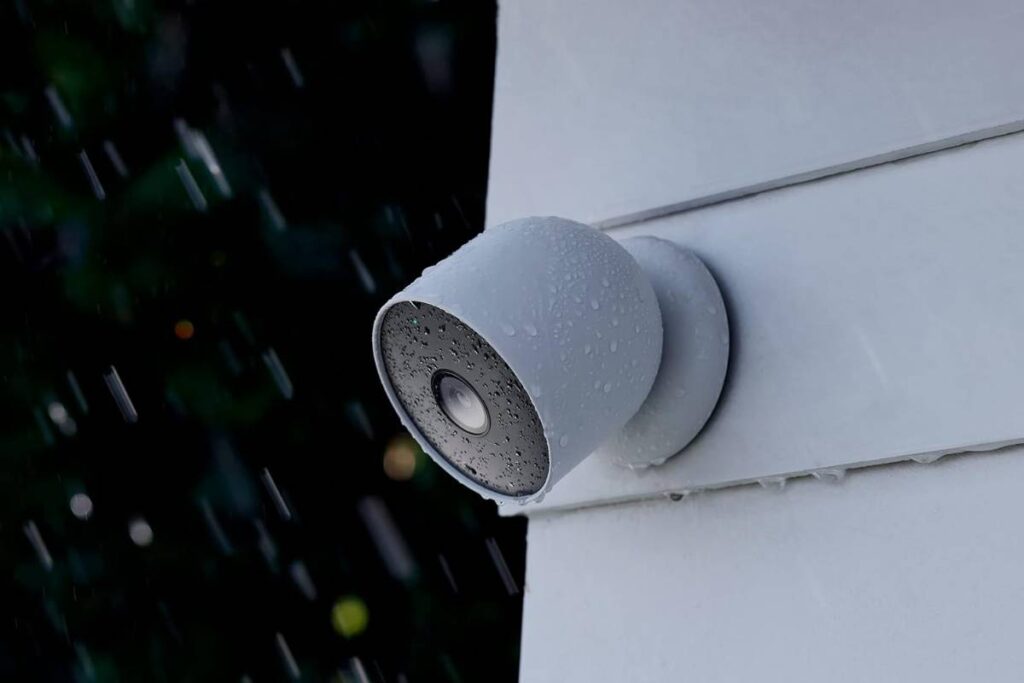
Nest Cam
Key Features:
- 1080p HDR video with night vision
- AI detection for people, animals, and vehicles
- Free smart alerts via the Google Home app
- 3 hour free event historyBattery-powered for indoor and outdoor use Magnetic mount for easy installation
- Offline event backup during Wi-Fi or power outages
- Optional Nest Aware for longer video history and 24/7 recording
Stay secure with this smart outdoor camera. Get alerts straight to your phone!
Google Nest Cam Quick Specs
| Spec | Nest Cam (Battery) | Nest Cam (Wired, Indoor) |
|---|---|---|
| Price | $179.99 | $99.99 |
| Resolution | 1080p HDR | 1080p HDR |
| Field of View | 130° diagonal | 130° diagonal |
| Night Vision | Up to 20 feet (IR) | Up to 20 feet (IR) |
| Weather Resistance | IPX4 | Indoor only |
| Power | Rechargeable battery / optional wired | Wired (USB-C) |
| Connectivity | Wi-Fi 802.11b/g/n (2.4/5GHz) | Wi-Fi 802.11b/g/n (2.4/5GHz) |
| Storage | Cloud only (3 hrs free / 30–60 days with subscription) | Cloud only |
| Local Storage | None | None |
| Smart Home | Google Home, Alexa (basic) | Google Home, Alexa (basic) |
| Apple HomeKit | No | No |
| Subscription | Google Home Premium ($10/month) | Google Home Premium ($10/month) |
| On-device AI | Yes person, animal, vehicle, familiar face | Yes |
Pricing verified July 2026 against Google Store and Amazon US.
What We Tested
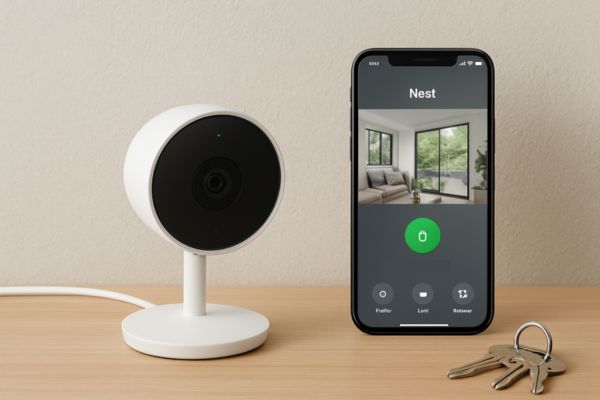
We evaluated the Nest Cam Battery across five primary scenarios:
- Front door – outdoor, exposed to direct sunlight and evening shadows
- Driveway – outdoor, moderate traffic including vehicles and pedestrians
- Living room – indoor, variable lighting throughout the day
- Back yard – outdoor, motion-heavy area (trees, wildlife, children)
- Side gate – sheltered outdoor, limited lighting at night
All testing was conducted on a US residential property with standard Google Home setup (Google Nest Hub Max as primary display, Nest Learning Thermostat, Google Home app on Android and iOS). Google Home Premium subscription was active throughout testing.
Design and Build Quality
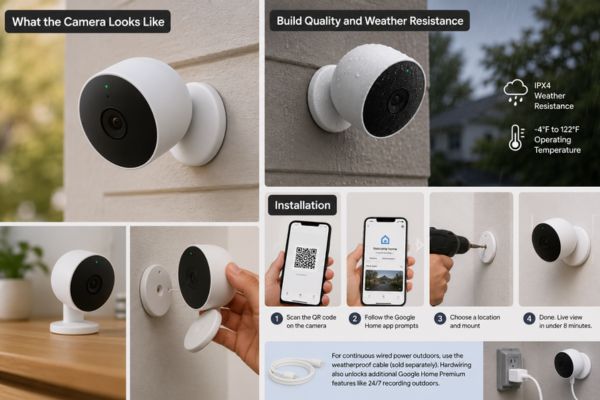
What the Camera Looks Like
The Nest Cam Battery is a small, rounded camera — roughly 3.3 x 3.3 inches — in a matte white or matte linen finish. It’s compact enough to be unobtrusive indoors and visible enough outdoors to function as a deterrent. The design is minimal and clean in the way Google hardware typically is: no exposed screws, no clunky housing, no aggressive “security camera” aesthetic that announces itself from 50 feet away.
The camera mounts via a magnetic base that attaches to a flat plate you screw into any surface — wall, soffit, fence post, ceiling. The magnetic base makes removal and recharging a whole lot easier than cameras that require unscrewing from a fixed mount every time the battery needs charging.
Build Quality and Weather Resistance
The camera feels solid and well-built no flex in the housing, no loose components. The IPX4 rating is where the Nest Cam Battery shows its limits as an outdoor camera — it handles rain and light splash but is less weather-resistant than competitors offering IP65 or IP66 ratings.
In our testing across multiple weeks of standard outdoor conditions (rain, humidity, temperature swings from 45-90°F), the camera performed without issues. For US homeowners in typical residential climates, IPX4 is adequate. For those in consistently harsh weather environments Pacific Northwest, coastal areas with driving rain, extreme cold a camera with a higher IP rating (Arlo Pro 5S at IP65, for example) provides a more durable long-term solution.
Installation
Setup process from unboxing to live view: under 8 minutes in our test. Scan the QR code on the camera, follow the Google Home app prompts, choose a location and mount, done. The magnetic base means repositioning the camera as your coverage needs change takes about 30 seconds.
One note on outdoor installation: If you want continuous wired power outdoors without battery management, Google sells a weatherproof cable separately that hardwires the Nest Cam Battery to an outlet. Hardwiring also unlocks additional Google Home Premium features (continuous 24/7 recording outdoors). The cable costs $25 and is worth purchasing if you have an accessible outdoor outlet at your intended mounting location.
Video Quality
Daytime Video
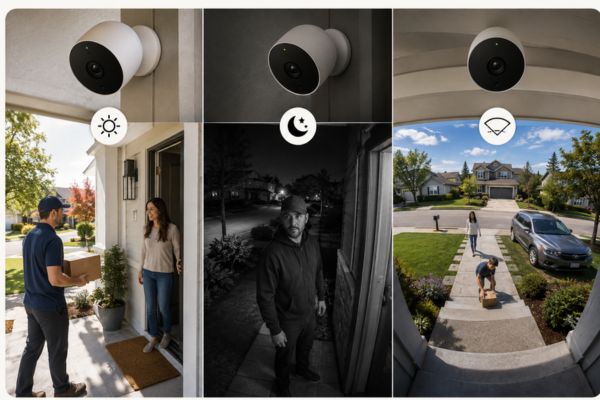
In our testing, 1080p performance was strong at ranges up to 20–25 feet — sufficient to identify faces, read clothing, and in most cases capture usable detail on vehicle license plates within that range. Beyond 30 feet, detail degradation is noticeable, particularly when viewing footage on a large display.
The HDR processing is the Nest Cam’s real daytime advantage. In high-contrast lighting — a front door with bright midday sun directly behind a visitor, or a driveway with harsh afternoon shadows — the HDR handling recovers detail in both highlights and shadows that standard 1080p cameras blow out or crush. This isn’t a specification you’ll see emphasized in most camera, but in real-world front door and driveway coverage, it makes a meaningful difference in footage usability.
Honest limitation: Arlo offers cameras with 2K and 4K resolution at comparable and higher price points. If you regularly need to digitally zoom into footage after the fact — to identify a face at 40+ feet or read a partial plate — the Nest Cam’s 1080p ceiling will limit you. The Arlo Pro 5S at $200 offers 2K with color night vision. If resolution is your primary concern over AI features, consider that option.
Night Vision
Night vision performance is the Nest Cam’s most significant video quality trade-off. The camera produces standard infrared (IR) night vision footage — clear, usable black-and-white footage up to approximately 20 feet in our testing.
What it doesn’t have: color night vision. This is an increasingly common feature at the $150–$200 price point (Ring Floodlight Cam, Arlo Pro 5S, Eufy SoloCam S340 all include it). Color night vision matters primarily for identifying clothing colors and vehicle colors — useful details when footage is after an incident.
For most residential front door and entry-point coverage, standard IR night vision is adequate. In testing, the Nest Cam was able to identify familiar faces even in the dark using just two somewhat fuzzy reference photos. The AI makes the night footage more actionable than the specification alone suggests.
130° Field of View
In practice, 130° covers a standard front door approach, a single-car driveway width, or a typical backyard zone without significant blind spots when mounted at 8–10 feet height. For wider coverage areas (wide driveways, large yards), the Nest Cam Floodlight or a PTZ camera would be more appropriate.
AI and Smart Detection – The Nest Cam’s Biggest Advantage
This is where the Nest Cam earns its position as our top pick for Google ecosystem households.
Familiar Face Detection
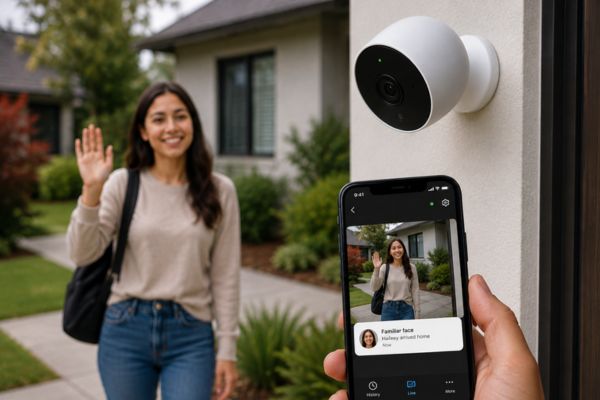
The familiar face detection powered by Gemini AI is the most accurate person identification feature we’ve tested at this price point. Once you’ve registered household members’ faces (a 30-second process of scanning from multiple angles), the camera consistently identifies them correctly — sending a notification that says “Haileey arrived home” rather than “Person detected.”
The practical value of this is higher than it sounds. Most camera owners quickly develop notification fatigue from generic “person detected” alerts that fire for every mail carrier, neighbor, and passing pedestrian. Familiar face detection means the notification tells you something useful immediately — whether this is someone who belongs at your home or someone unfamiliar.
Important note: Familiar face detection requires a Google Home Premium subscription. Without it, you get person/animal/vehicle detection useful, but generic.
Person, Animal, and Vehicle Detection
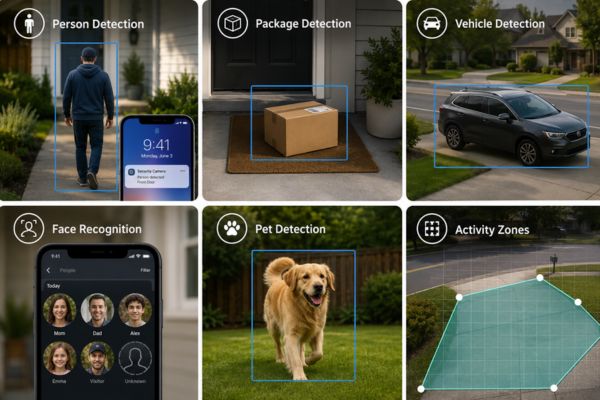
Without a subscription, the Nest Cam provides free detection of:
- People (any person, not identified)
- Animals (dogs, cats, birds)
- Vehicles (cars, trucks)
- Package detection
Nest provides free 3-hour event history and AI features like person and package detection without a subscription, which is a standout advantage over Ring and some Arlo tiers that gate even basic person detection behind a subscription.
In our testing, person detection accuracy was high — consistently distinguishing pedestrians from vehicles, animals, and environmental motion (trees, shadows). False alert rate on the default sensitivity was acceptable at a typical suburban residential installation. For busier environments (front door facing a sidewalk, driveway near a road), reducing motion sensitivity to 60–70% and setting activity zones significantly reduces nuisance alerts.
Gemini AI Video Search
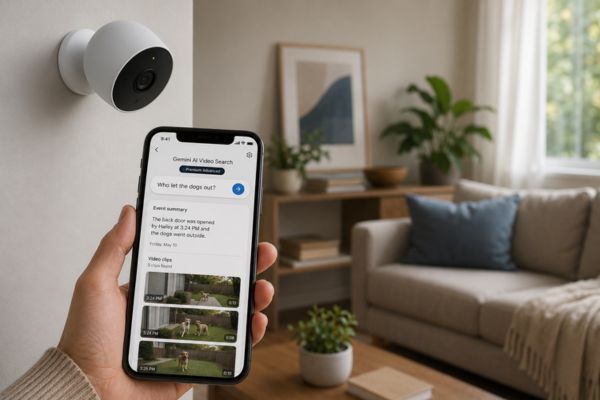
This feature — asking natural language questions to search your camera history — is genuinely useful when you need to find a specific event in a week’s worth of footage. “When did the package arrive?” or “Did anyone come to the back door yesterday?” returns the relevant clips directly.
Activity Zones
Custom activity zones let you draw specific monitoring areas within the camera’s field of view — only alerting when motion occurs inside those zones. This is the most effective tool for eliminating nuisance alerts from street traffic, neighboring properties, or areas outside your coverage intent.
Activity zones are available with a Google Home Premium subscription. Without a subscription, the camera monitors its full field of view.
Smart Home Integration
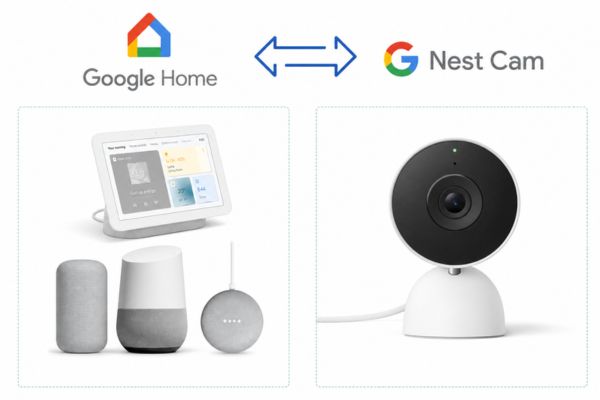
Google Home Integration
Google Nest is optimized for the Google Home app and Gemini integration. Within a Google Home setup, the Nest Cam Battery is the smoothest-integrating camera available:
- Live view on any Google Nest Hub or Nest Hub Max display via voice command (“Hey Google, show me the front door”)
- Camera motion triggers Google Home automations (lights on, notification to household displays)
- Footage viewable on Google TV devices
- Presence detection integration with other Google Home devices
The Google Home app (which replaced the Nest app in late 2025) has improved significantly from the earlier fragmented experience. The app has a 4.6 rating on the Apple App Store and 3.8 on the Google Play Store. Since previous, the app has gotten considerably less buggy.
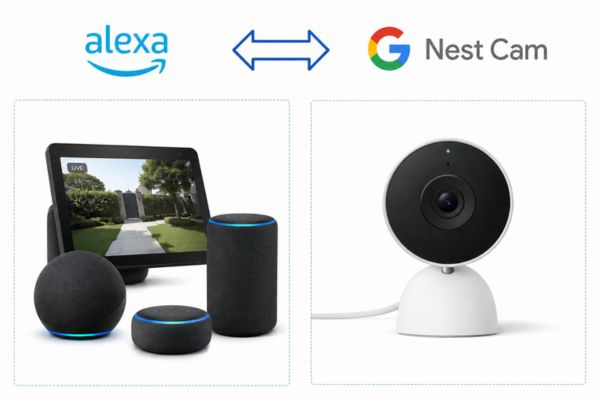
Amazon Alexa Compatibility
The Nest Cam works with Alexa for basic functions: live view on Echo Show displays, voice arm/disarm. The integration is functional but not deep — Alexa-specific features like Guard integration and Ring ecosystem coordination aren’t available. For Alexa-primary households, Ring cameras offer a significantly stronger native integration.
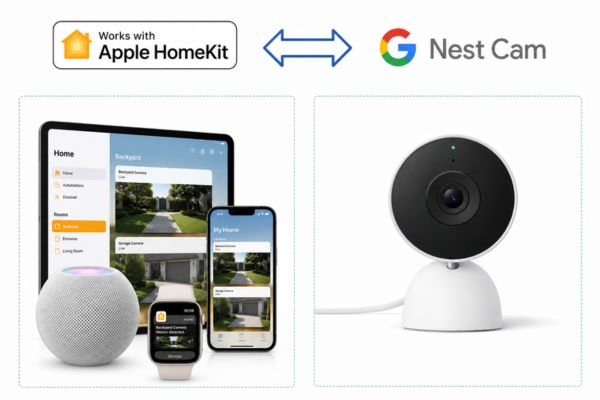
Apple HomeKit
The Google Nest Cam has no Apple HomeKit support — and this is unlikely to change given Google’s ecosystem position. If your household runs primarily on Apple devices and you want HomeKit Secure Video’s end-to-end encrypted storage, the Nest Cam is not the right choice. Logitech Circle View, Eve Cam, and select Eufy models support HomeKit Secure Video natively.
Storage and Subscription
What You Get Free (No Subscription)
- Live view at any time from the Google Home app
- 3 hours of event-based video history
- Person, animal, vehicle, and package detection alerts
- Two-way audio
- Up to 1 hour of local recording during Wi-Fi or power outages (stored on the camera)
3 hours of free video history with no subscription is enough to an event from earlier in the day but not enough to footage from yesterday or last week. For most security purposes — especially for incidents that might not be discovered until hours later a subscription is practically necessary.
Nest Cam
Key Features:
- 1080p HDR video with night vision
- AI detection for people, animals, and vehicles
- Free smart alerts via the Google Home app
- 3 hour free event historyBattery-powered for indoor and outdoor use Magnetic mount for easy installation
- Offline event backup during Wi-Fi or power outages
- Optional Nest Aware for longer video history and 24/7 recording
Stay secure with this smart outdoor camera. Get alerts straight to your phone!
Google Home Premium (Subscription)
| Google Home Premium Tier | Price | Video History | Key Features |
|---|---|---|---|
| Basic | $10/month ($100/year) | 30 days event history | Familiar face detection, activity zones, package detection |
| Advanced | $15/month ($150/year) | 60 days event history | All Basic features + Gemini video search, garage door detection, extended AI |
Battery Life
Nest Cam vs. the Competition
Google Nest Cam vs. Ring Stick Up Cam
Verdict vs. Ring: Ring beats Google Nest for households wanting more camera options and cheaper storage, while Google Nest excels in smart features like facial recognition. For Alexa households or users wanting professional monitoring integration: Ring. For Google households wanting best-in-class AI: Nest Cam.
Google Nest Cam vs. Arlo Pro 5S
Verdict vs. Arlo: For those who want the best home security camera that won’t lock them into a single ecosystem, Arlo is the clear winner. If you want 2K resolution, color night vision, IP65 weatherproofing, and cross-ecosystem compatibility: Arlo Pro 5S. If you want the best facial recognition AI and are committed to Google Home: Nest Cam Battery.
Google Nest Cam vs. Eufy Security 2K
Verdict vs. Eufy: For buyers who want capable AI without a subscription and don’t want cloud-only storage: Eufy Security 2K is a compelling alternative at nearly half the price. The Nest Cam Battery wins on familiar-face accuracy and Google Home integration depth.
Who Should Buy the Nest Cam Battery
Buy It If:
Look Elsewhere If:
Common Questions About the Nest Cam Battery
What Could Be Better
No is complete without an honest list of limitations. Here’s what we’d like to see improved:
At $180, 1080p is increasingly hard to defend when Eufy offers 2K at $100 and Arlo offers 2K at $200. Google has already bumped the wired outdoor Nest Cam to 2K HDR — the battery model should follow.
The cloud only approach is the Nest Cam’s biggest structural weakness. Even a basic SD card slot as a local backup would address the privacy, cost, and internet-dependency objections of a significant portion of potential buyers.
IP65 is the standard for serious outdoor cameras. IPX4 is limiting for buyers in wetter or more extreme climates.
Familiar face detection and activity zones should be available at a basic tier or free — gating these features behind a $10/month subscription positions the Nest Cam unfavorably against Eufy, which provides both features locally at no ongoing cost.
In a post-Matter world, the absence of HomeKit support is increasingly anomalous. This limits the Nest Cam’s addressable market significantly.
Nest Cam
Key Features:
- 1080p HDR video with night vision
- AI detection for people, animals, and vehicles
- Free smart alerts via the Google Home app
- 3 hour free event historyBattery-powered for indoor and outdoor use Magnetic mount for easy installation
- Offline event backup during Wi-Fi or power outages
- Optional Nest Aware for longer video history and 24/7 recording
Stay secure with this smart outdoor camera. Get alerts straight to your phone!
Our Final Verdict: Is the Google Nest Cam Battery Worth It?
For Google ecosystem households: Yes.
The familiar face detection powered by Gemini AI is the most useful single feature in any residential security camera at this price point. The Google Home integration is the deepest and most fluid of any camera brand in the Android/Google ecosystem. And one $10/month subscription covering all your cameras is genuinely good value compared to per-camera subscription structures from Ring and Arlo.
Know which category you’re in before you buy.
FAQ
Yes — you get live view, 3 hours of free event history, and person/animal/vehicle detection at no cost. Familiar face detection, activity zones, 30-day video history, and Gemini video search require Google Home Premium at $10/month. For most buyers, the subscription is practically necessary to unlock the camera’s most useful features.
Real-world battery life ranges from 1–2 months for high-activity outdoor placements (front door, busy driveway) to 4–6 months for low-activity indoor use. Reducing motion sensitivity to 60–70% and setting activity zones significantly extends battery life in busy outdoor environments. Google advertises up to 7 months under average use.
No. The Google Nest Cam has no Apple HomeKit support and integrates exclusively with Google Home (plus basic Amazon Alexa functions). For HomeKit Secure Video, consider Logitech Circle View, Eve Cam, or select Eufy models.
No. All Google Nest cameras are cloud-only — there is no SD card slot or NVR option. A Google Home Premium subscription ($10/month) is required for more than 3 hours of video history. If local storage is a priority, Eufy cameras with HomeBase or Reolink cameras with SD/NVR support are better alternatives.
The Nest Cam’s familiar face detection via Gemini AI is its clearest advantage over Ring (no familiar face detection) and Arlo (no familiar face detection at any tier). Arlo wins on resolution (2K/4K options), color night vision, and cross-ecosystem compatibility. Ring wins for Alexa integration, professional monitoring options, and lower camera prices. The Nest Cam is the right choice specifically for Google Home households who prioritize AI detection quality.