⚡ Smart Plugs: The Simple Energy Saver
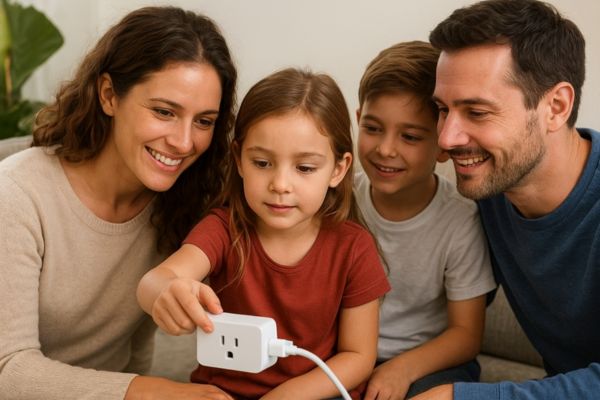
Smart plugs energy saver, have you ever walked out of the house and wondered, “Did I turn off the iron?” or “Is that fan still running?” It’s a common habit we all share leaving small devices plugged in all day without realizing they quietly consume electricity.
Over time, these little habits lead to wasted energy, higher bills, and unnecessary stress. But here’s the good news: there’s a small, affordable device that can change all of that the smart plug.
In this ultimate 2025 guide, we’ll explore everything you need to know about smart plugs as energy savers: how they work, how much they can save, which models are worth buying, and why they’re one of the simplest ways to make your home smarter and more efficient.
So grab your coffee maybe brewed by a smart plug 😉, and let’s dive in.
🔌 What Are Smart Plugs?
A smart plug is a compact adapter that sits between your wall outlet and your device. It connects to your home WiFi and allows you to control the connected device through your smartphone, tablet, or even your voice.
In other words, smart plugs turn regular appliances into smart ones. They’re part of the growing world of smart home technology, designed to make life easier, safer, and more energy efficient.
🧠 How Smart Plugs Work
Here’s how it works:
- Plug the smart plug into your wall socket.
- Connect it to your home WiFi network using a companion app (like Kasa, Alexa, or Google Home).
- Plug any device lamp, coffee maker, fan into the smart plug.
- Control it through the app or with a voice assistant.
The beauty of it lies in simplicity. You don’t need special wiring or expensive systems. With a few taps on your phone, you can:
It’s like giving every outlet in your home a little bit of intelligence.
📶 Wi-Fi vs. Zigbee Smart Plugs
Most people use WiFi smart plugs because they’re easy to install and connect directly to your home router. However, Zigbee or Z-Wave smart plugs communicate through a central hub (like Amazon Echo or SmartThings).
Here’s a quick comparison:
| Feature | Wi-Fi Smart Plug | Zigbee Smart Plug |
| Setup | Direct to Wi-Fi | Requires a hub |
| Range | Limited to router coverage | Extended via mesh network |
| Power Use | Slightly higher | More energy-efficient |
| Best For | Simple setups | Larger smart home systems |
If you’re just starting out, Wi-Fi smart plugs are perfect. But if you plan to automate your entire home, Zigbee options might offer better long-term stability.
🌐 How Smart Plugs Fit Into a Smart Home Ecosystem
Smart plugs easily integrate with major ecosystems:
- Amazon Alexa – “Alexa, turn off the lamp.”
- Google Assistant – “Hey Google, power on the fan.”
- Apple HomeKit – seamless iPhone and Siri integration.
They’re also compatible with routines, meaning you can link them to other smart devices. For instance:
- When your smart thermostat turns off, the plug can cut power to your heater.
- When your smart door lock engages, the plugs in your living room can switch off automatically.
That’s the real beauty of a smart home: automation that thinks for you.
⚙️ How Smart Plugs Help Save Energy
Smart plugs are often marketed for convenience, but their biggest hidden strength lies in energy savings. Let’s break down the main ways they reduce waste and improve efficiency.
⚡ Monitoring Real Time Energy Usage
Many modern models, like the TP Link Kasa HS110 or Eve Energy, include energy monitoring features. This lets you track exactly how much electricity your devices consume.
Seeing those numbers in real-time can be eye opening. For instance, you might discover that your TV draws power even when “off,” or that your gaming console stays warm all night because it’s still using electricity.
This awareness alone encourages smarter habits. You’ll start unplugging or scheduling devices based on actual data not guesswork.
🕒 Scheduling and Automation for Efficiency
One of the most effective ways to save power is to schedule devices to turn off automatically when you don’t need them.
Examples:
With automation, your smart plugs work quietly in the background, enforcing good energy habits for you.
👻 Reducing Phantom Power Consumption
Phantom power also known as standby or vampire energy refers to electricity used by devices even when they appear off. Think of your TV’s glowing standby light, your laptop charger, or your microwave clock.
According to the U.S. Department of Energy, phantom loads can account for up to 10% of household electricity use. Smart plugs can completely eliminate that by cutting power flow when the device isn’t in use.
🔄 Smart Routines That Reduce Waste
Want to take automation a step further? Try connecting your plugs to routines or triggers.
For example:
- Morning routine: turn on the coffee maker and radio when your alarm goes off.
- Leaving home: automatically switch off all non-essential plugs when you lock the door.
- Night mode: power down entertainment systems and lamps at bedtime.
The goal is to make energy efficiency effortless. Once you set your routines, they’ll keep working quietly saving energy every day.
💰 Benefits of Using Smart Plugs
When you first hear about smart plugs, it’s easy to think, “Do I really need one?”
But once you use them, it’s hard to imagine going back. These little devices offer a mix of financial, environmental, and practical benefits.
💵 1. Save Money on Electricity Bills
Every watt counts especially as energy prices rise. Smart plugs help you reduce your monthly electricity usage without sacrificing comfort.
By eliminating standby power and setting smart schedules, you can save up to 5–10% on your annual electricity bill. It’s not a massive figure day to day, but it adds up and the plugs often pay for themselves within a few months.
Let’s say your average energy bill is $60 per month. A 7% reduction equals about $50 saved annually. Multiply that by a few plugs around your home, and the savings start stacking up.
🔋 2. Improve Appliance Lifespan
Appliances that run unnecessarily experience more wear and tear. A smart plug prevents that by ensuring devices only draw power when needed.
For instance, if your fan runs all night or your coffee machine stays heated for hours, it shortens the device’s lifespan. Smart plugs prevent these overuse patterns automatically.
Less strain = longer life = fewer replacements.
📱 3. Convenience & Remote Control
Forgot to turn off the lights before bed? No need to get up. Just grab your phone or tell Alexa to handle it.
This remote access becomes even more helpful when you’re traveling. You can simulate activity by scheduling lamps to turn on at night an easy way to improve home security while saving power during the day.
🗣️ 4. Alexa / Google Smart Plug Compatibility
Most modern smart plugs support Alexa, Google Assistant, or Siri. This means you can create voice commands like:
- “Hey Google, turn on the living room light.”
- “Alexa, power off the coffee maker.”
Beyond convenience, voice control also reduces accidental overuse. You’re less likely to leave a device running when it’s this easy to turn off.
🌱 5. Reduce Carbon Footprint
Energy savings aren’t just good for your wallet they’re good for the planet. Every kilowatt hour you save means less demand on power plants and fewer emissions.
When multiplied across millions of homes, small changes like smart plugs can collectively make a big environmental difference.
Best Smart Plugs for Energy Efficiency (2025)
When it comes to saving energy, not all smart plugs are created equal. Some focus on compact design, others on advanced energy tracking, and a few specialize in smart ecosystem compatibility (like Alexa, Google, or Apple HomeKit). Below are some of the best smart plugs in 2025 that balance energy efficiency, price, and user-friendly setup.
TP Link Kasa Smart Plug HS110
The TP Link Kasa HS110 continues to dominate the smart plug market in 2025, and for good reason. It offers real-time energy monitoring, scheduling, and seamless app integration all wrapped in a compact, affordable device. What really stands out is how easy it is to track your appliance energy consumption through the Kasa Smart App, which displays usage data in clear, visual graphs.
Whether you’re looking to manage your coffee maker, heater, or entertainment setup, the HS110 helps you reduce waste without sacrificing convenience.
Why it’s great:
- Built in energy monitoring
- Compatible with Alexa and Google Assistant
- Excellent app experience
- Reliable Wi-Fi connectivity
Amazon Smart Plug
If you already use Alexa-enabled devices like the Echo Dot or Echo Show, the Amazon Smart Plug is a natural fit. It’s designed to work exclusively with Alexa, allowing you to control devices using simple voice commands. For instance, you can say, “Alexa, turn off the lamp,” and the plug instantly responds.
While it doesn’t have native energy monitoring, it excels in simplicity, reliability, and integration within the Amazon ecosystem.
Why it’s great:
- Easiest setup for Alexa homes
- Secure cloud connection via Amazon
- Compact and minimalist design
Eve Energy – Best for Apple HomeKit
The Eve Energy Smart Plug shines for iPhone, iPad, and HomePod users. It works flawlessly within Apple HomeKit, allowing full Siri control and secure, private automation through Thread or Bluetooth.
Unlike many competitors, Eve Energy doesn’t rely on a cloud connection all automation runs locally for faster response and better privacy. It also features detailed energy consumption insights, perfect for homeowners who like tracking their power usage in kilowatt-hours (kWh).
Why it’s great:
- Local automation (no cloud dependency)
- Works with Siri, Apple HomeKit, and Thread
- Detailed consumption stats
Wyze Plug – Best Budget Option
For those new to smart home tech, the Wyze Plug offers an affordable entry point without skimping on features. It supports scheduling, voice control, and group automation all for under $20 per two pack.
Although it lacks built in energy tracking, it integrates easily with Wyze’s ecosystem, allowing you to manage multiple plugs and cameras in one simple app.
Why it’s great:
- Super affordable
- Works with Alexa and Google Assistant
- Great for multi device scheduling
Meross Smart Plug Mini – Best Compact Design
If space is limited, the Meross Smart Plug Mini is a top choice. Its slim profile ensures that it doesn’t block other outlets, and it’s compatible with Alexa, Google, and Apple HomeKit.
This model includes energy monitoring and remote control, making it a practical pick for tight spaces like kitchen counters or entertainment centers.
Why it’s great:
- Compact and stackable
- Energy tracking included
- Works across all major smart home ecosystems
How to Set Up a Smart Plug
Even if you’re not tech-savvy, setting up a smart plug is surprisingly simple. You can usually go from unboxing to controlling your first appliance in less than 10 minutes.
Step 1: Plug It In and Power It Up
Start by inserting your smart plug into a wall outlet. Most devices will show a blinking LED light, indicating that they’re ready to pair.
Step 2: Download the App
Every brand has its own companion app such as Kasa Smart, Amazon Alexa, Eve, or Meross.
Download the app on your smartphone and create an account if prompted.
Step 3: Connect to WiFi
Most smart plugs work on 2.4GHz WiFi. Follow the on-screen instructions to link your plug to your home network.
Once connected, you can name your plug for example, “Coffee Maker” or “Bedroom Lamp” to make automation easier later.
Step 4: Integrate with Alexa, Google, or Siri
If you want to use voice commands, link your smart plug to your preferred voice assistant:
- Alexa: Open the Alexa app → Devices → Add Device → Smart Plug.
- Google Assistant: Use Google Home → Add → Set up device → Works with Google.
- Siri/HomeKit: Scan the QR code on your Eve Energy or Meross plug.
Once linked, you can issue commands like “Hey Google, turn off the fan” or “Siri, switch on the light.”
Step 5: Create Automation Routines
This is where the real fun begins. Use your app to schedule tasks like:
- Turning off the TV after midnight
- Powering up your coffee maker at 7 a.m.
- Switching on the heater before you get home
These smart routines help you save energy by ensuring appliances only run when needed.
Smart Plug Use Cases & Automation Ideas
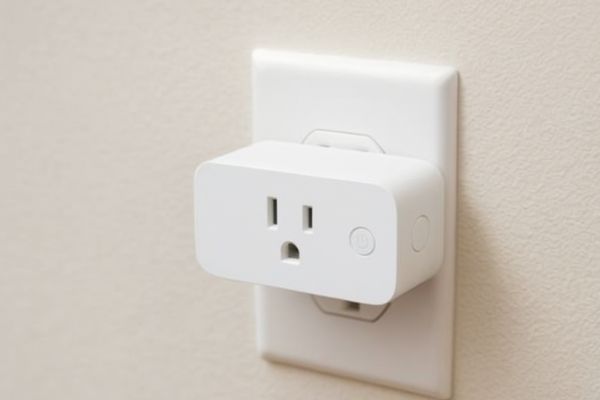
Now that your smart plug is ready, let’s explore creative and practical ways to use it for energy savings and convenience.
1. Schedule Coffee Maker or Lamps
Imagine waking up to a freshly brewed coffee or walking into a softly lit room after sunset. Smart plugs let you set these schedules automatically making mornings smoother and evenings cozier.
2. Control TV or Gaming Console Power
Entertainment systems often consume energy even when turned “off.” With a smart plug, you can completely cut power when not in use, helping reduce standby consumption.
3. Manage Energy Heavy Devices During Peak Hours
Some appliances, like space heaters or air purifiers, use a lot of electricity. Smart plugs allow you to schedule them to run during off peak hours, lowering your overall electricity costs.
4. Automate Outdoor Lighting
If you have garden lights or holiday decorations, use weatherproof smart plugs to schedule them automatically at dusk or sunrise. It keeps your home looking inviting while saving energy.
5. Create “Away Mode” for Security
When traveling, set smart plugs to randomly turn lights on and off. It makes your home look occupied, reducing the risk of break ins a small but powerful addition to your smart home security setup.
Common Mistakes & Troubleshooting Tips
Even though smart plugs are simple to use, a few common mistakes can cause frustration. Here’s how to avoid them and keep your setup running smoothly.
1. WiFi Connection Issues
Smart plugs often require a 2.4GHz WiFi network. If you’re using a dual-band router, make sure you connect your phone and plug to the same frequency. If pairing fails, reset the plug (usually by holding the power button for 5-10 seconds) and retry.
2. Overloading Power Limits
Each plug has a maximum wattage limit (usually 1,500–1,800W). Avoid connecting heavy appliances like air conditioners or space heaters that exceed that limit it could damage the plug or trip the breaker.
3. Forgetting to Enable Monitoring Features
Some smart plugs have energy monitoring turned off by default. Check your app settings and enable tracking so you can view energy reports and identify power hungry devices.
4. Ignoring Firmware Updates
Like any smart device, firmware updates help fix bugs and improve stability. Always update your plug via its app to ensure it works securely and efficiently.
5. Naming Devices Poorly
Avoid naming multiple devices “Lamp” or “Plug 1.” Instead, use descriptive labels like “Living Room Lamp” or “Heater Plug.” This makes automation smoother, especially when using voice commands.
Small Automation, Big Impact
Smart plugs might be one of the smallest devices in your smart home, but their impact can be surprisingly powerful. By giving you control over when and how your devices draw electricity, these little plugs help bridge the gap between convenience and sustainability.
Think about it this way most of us leave things plugged in all the time: phone chargers, TV boxes, coffee makers, or even fans. Even when they’re not “on,” they quietly sip electricity, adding to your utility bill without you noticing. This is called phantom energy consumption, and it’s estimated to account for up to 10% of household electricity use.
By using a smart plug, you can take that wasted energy back under your control. Set your devices to shut off automatically when not in use, track their consumption, and even control them remotely when you forget to unplug something before heading to work.
Beyond the energy savings, smart plugs also make everyday life easier:
All of this convenience translates into meaningful savings and smarter energy habits over time. It’s not about having a futuristic home it’s about creating a practical, efficient space that works for you.
So, whether you’re just starting your smart home journey or expanding your automation setup, smart plugs are a perfect entry point. Affordable, versatile, and effective they’re proof that small steps toward energy efficiency can lead to big, long term results.
Start saving energy today!
Shop the bestSmartWings Motorized Outdoor Shades Review and enjoy effortless automation in your daily life.
👉 Check the SmartWings Motorized Outdoor Shades Review