
Essential Smart Home Devices for Starters
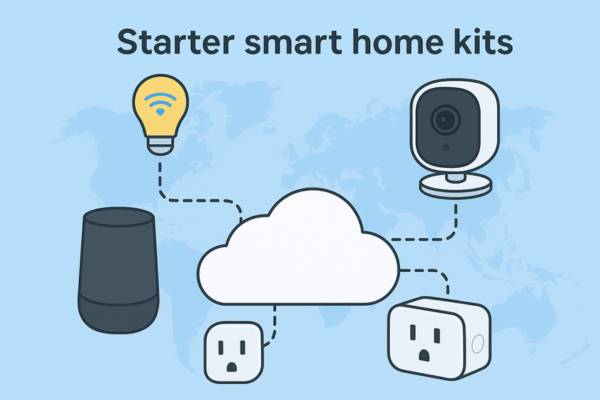
Starter smart home kits are making it easier than ever to turn an ordinary house into a connected home in 2025. From lights that turn on with your voice to locks that secure themselves when you leave, these devices make life safer, smarter, and more energy efficient. But if you’re just starting out, the endless list of “smart home” gadgets can feel overwhelming. Do you really need a smart home? Is a hub required? Where should you even begin?
This guide breaks it down to the essential starter smart home kits devices for starters the must-haves that deliver the most value without unnecessary complexity. By the end, you’ll know exactly which beginner-friendly products to consider, how to avoid common pitfalls, and how to starter smart home kits building with confidence.
What Makes a Device “Essential” for Smart Homes?
Not every flashy gadget belongs in your starter setup. To qualify as “essential,” a device should check these boxes:
- Usefulness: Solves an everyday need like lighting, security, or energy savings.
- Ease of Setup: Can be installed by beginners without professional help.
- Affordability: Delivers strong value without draining your budget.
- Compatibility: Plays well with major ecosystems (Google, Alexa, Apple).
Think of essentials as your foundation. They make your home truly “smart.” Other devices like robot vacuums, connected appliances, or high end sensors are nice to haves that you can add later.
The Essential Smart Home Devices for Starters
1. Smart Speaker / Hub
A smart speaker is the brain of your smart home automation. With built-in voice assistants like Amazon Alexa, Google Assistant, or Apple Siri, it lets you control devices hands-free, play music, set reminders, and integrate different products.
- Why it’s essential: Acts as the central hub for automation.
- Starter-friendly picks:
- Amazon Echo (Alexa) – affordable and versatile.
- Google Nest Audio – great for those in the Google ecosystem.
- Apple HomePod mini – ideal if you’re deep into Apple products.
2. Smart Lights / Bulbs
Swap out your standard smart light bulbs for WiFi or Bluetooth enabled smart lights. You can dim, change colors, or schedule them all from your phone or voice.
- Why it’s essential: Instant atmosphere control, energy savings, and security (simulate presence when away).
- Starter friendly picks:
- Philips Hue Starter Kit.
- Wyze Bulbs (budget-friendly).
- Nanoleaf Essentials (Apple HomeKit users).
3. Smart Plugs & Switches
Smart plugs turn any standard outlet into a connected one. Plug in a lamp, coffee maker, or fan, and schedule or voice-control it.
- Why it’s essential: Cheapest way to “smarten” non-smart appliances.
- Starter-friendly picks:
- TP-Link Kasa Smart Plug.
- Amazon Smart Plug.
- Meross Smart Wi-Fi Plug (great HomeKit option).
4. Smart Thermostat
A smart thermostat learns your habits and adjusts temperature for comfort and efficiency.
- Why it’s essential: Saves money on energy bills and keeps your home comfortable year-round.
- Starter-friendly picks:
- Google Nest Thermostat (affordable, easy to use).
- ecobee Smart Thermostat (with built-in Alexa).
5. Smart Locks / Entry Systems
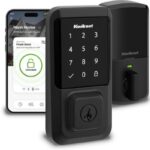
Upgrade your door with smart locks that allow keyless entry, guest codes, or remote access.
- Why it’s essential: Security + convenience (never lose your keys again).
- Starter-friendly picks:
- August Wi-Fi Smart Lock.
- Schlage Encode.
- Level Lock (discreet design).
6. Smart Cameras / Doorbells
Keep an eye on your front door with video doorbells or security cams.
- Why it’s essential: Provides peace of mind and deters package theft or intrusions.
- Starter-friendly picks:
- Ring Video Doorbell.
- Google Nest Doorbell.
- Eufy Security Camera (no monthly fees).
7. Wi-Fi Mesh System (Optional but Recommended)
A strong network is the backbone of any smart home. A mesh Wi-Fi system eliminates dead zones and ensures smooth device performance.
- Why it’s essential: Prevents connectivity issues when multiple devices are online.
- Starter-friendly picks:
- Google Nest Wi-Fi.
- TP-Link Deco Mesh.
- Eero Mesh Wi-Fi.
How to Choose the Right Ecosystem (Google, Alexa, Apple HomeKit)
One of the biggest beginner mistakes is mixing incompatible devices. Most smart gadgets align with one of three ecosystems:
- Amazon Alexa → Best for affordability and device variety.
- Google Home → Best for Android users and smart displays.
- Apple HomeKit → Best for iPhone/Mac users who value privacy.
💡 Tip: Choose the ecosystem that matches the devices you already own (phone, tablet, speakers). Once you pick one, build around it to avoid headaches.
✅ Tips:
- Start with one category (lights or plugs).
- Expand slowly as you learn.
- Watch for bundles and starter kits for better value.
Common Mistakes Beginners Should Avoid
- Buying incompatible devices → Always check ecosystem compatibility.
- Overinvesting too soon → Start small; you don’t need every device on day one.
- Ignoring updates & security → Keep firmware updated to protect your network.
Conclusion
A smart home doesn’t need to be complicated. Start with essential smart home devices for starters a smart speaker, smart lights, and a couple of smart plugs. Add a thermostat, lock, or camera as your comfort (and budget) grows.
Remember: your smart home is a journey, not a weekend project. Start small, expand gradually, and soon your home will feel both futuristic and effortless.
👉 Ready to dive deeper? Check out on [Best Smart Plugs], [Smart Lights Setup Guide], and [Google Home vs Alexa vs HomeKit] for more tailored advice.