Best Digital Lock for Airbnb Hosts: Secure Self Check In
A digital lock for Airbnb is no longer just a smart home upgrade it’s a business tool. In 2026, guests expect seamless self check-in, and hosts need better control over property access. If you’re still managing physical keys, coordinating late arrivals, or worrying about lost copies, you’re adding unnecessary stress to your hosting workflow.
The best digital lock for Airbnb hosts allows you to automate guest access, generate temporary door codes, monitor entry activity, and manage everything remotely. That means fewer headaches, stronger security, and a smoother experience for every guest.
In this complete guide, we’ll walk through how digital locks work for short term rentals, what features matter most, and which smart locks are worth considering this year.
What Is a Digital Lock for Airbnb?
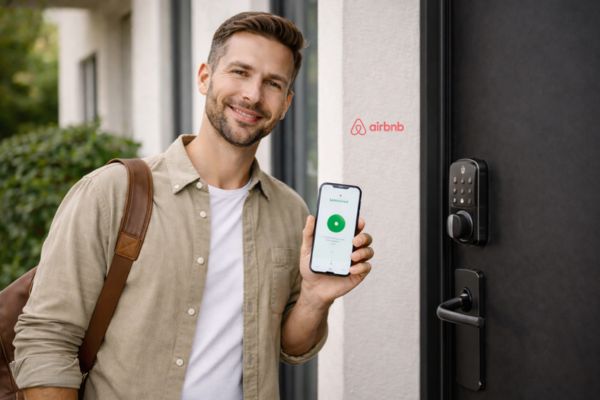
A digital lock for Airbnb is a smart door lock that replaces traditional keys with secure PIN codes, smartphone access, or automated entry systems. Instead of handing over a physical key, hosts generate temporary access codes that activate at check-in and expire at checkout.
Most modern smart locks also include:
- Remote management via app
- Entry logs to track activity
- Auto-lock functionality
- WiFi or Bluetooth connectivity
- Backup key or battery options
For short-term rentals, this kind of keyless entry system dramatically reduces operational friction while improving security.
Why a Digital Lock for Airbnb Is Essential in 2026
Managing properties through Airbnb has become more competitive than ever. Guest expectations have evolved. Convenience, safety, and flexibility are now non-negotiable.
Here’s why upgrading to a smart lock makes sense.
1. Self Check In Is Now Standard
Many guests filter listings specifically for “self check in.” They want the freedom to arrive late at night without coordinating schedules. An Airbnb self check-in lock makes that possible instantly.
2. No More Lost Keys
Physical keys can be lost, copied, or returned late. With a digital lock, access codes automatically expire after checkout. There’s no need to replace locks or chase down missing keys.
3. Remote Control from Anywhere
Whether you manage one property or ten, a WiFi smart lock for rental property allows you to:
- Unlock the door remotely
- Create or delete guest codes instantly
- Monitor entry times
- Lock the door if a guest forgets
This is especially valuable for remote hosts.
4. Professional Guest Experience
A smooth, automated entry process feels modern and secure. It sends a strong message that your property is professionally managed.
How Digital Locks Work with Airbnb Bookings
Here’s how a typical setup works:
- A guest books your property.
- You create a unique Airbnb door code.
- The code activates at check-in time.
- The code expires automatically at checkout.
Some advanced systems even integrate with your booking calendar to automate code generation. That means no manual messaging, fewer mistakes, and reduced back-and-forth communication.
Even if WiFi goes down, most smart locks continue functioning locally using stored PIN codes. Internet is mainly required for remote management, not for unlocking.
Types of Digital Lock for Airbnb
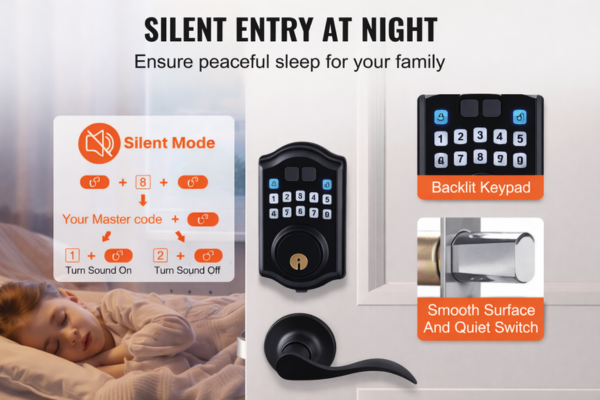
Not all digital locks are designed for rental properties. Choosing the right type depends on your setup and management style.
- Keypad Digital Locks
These allow guests to enter a PIN code directly on the lock.
Best for:
- Apartments
- Budget friendly rentals
- Hosts who want simple installation
They’re easy to use and don’t require guests to download an app.
- WiFi Smart Locks
WiFi enabled locks connect directly to your network.
Best for:
- Remote property management
- Multi unit hosts
- Fully automated setups
They provide real-time notifications, remote unlocking, and activity tracking.
- Bluetooth Smart Locks
Bluetooth locks operate when a smartphone is nearby. These are better suited for hosts who live close to the property but are less ideal for fully remote management.
🔑 Best Digital Lock for Airbnb Hosts (Top Picks 2026)
Here are some reliable smart locks commonly used for short-term rentals.
🌟 Schlage Encode Smart WiFi Deadbolt
One of the most popular choices among Airbnb hosts. It includes built-in WiFi, meaning you don’t need a separate hub. You can create and manage guest codes remotely, receive notifications, and monitor entry logs. Its strong security rating makes it ideal for high-traffic rental properties.
🌟 Yale Assure Lock 2
Known for its sleek design and reliable performance, this lock offers touchscreen keypad access and optional WiFi modules. It’s compatible with multiple smart home systems and works well for automated Airbnb door code setups.
🌟 Eufy Security C220 Smart Lock
A more budget-friendly option that still offers built-in WiFi, app control, and activity logs. It’s suitable for new hosts who want smart features without a premium price.
🌟 Level Lock Plus
Designed for minimal visibility, this smart lock hides most of its technology inside the door. It’s ideal for upscale or design-focused rental properties and supports Apple HomeKey.
Must Have Features in a Digital Lock for Airbnb
Before purchasing, make sure your lock includes these essential features:
✅ Temporary Access Codes
Each guest should get a unique, time-limited code.
✅ Auto-Lock Function
Door locks automatically after a set time.
✅ Remote Management
You should control everything via smartphone.
✅ Entry Logs
Track who enters and when.
✅ Emergency Backup
Physical key or battery backup in case of failure.
✅ Strong Security Rating
Look for ANSI Grade 1 or Grade 2 certification.
Installation and Setup Guide
Installing a digital lock for Airbnb is often simpler than expected. Most models replace your existing deadbolt and can be installed with basic tools. After installation:
Step 1: Install the Lock
Most smart locks replace your existing deadbolt. Many are DIY-friendly.
Step 2: Connect to WiFi
Download the manufacturer’s app and pair the device.
Step 3: Set Master Admin Code
Never share this code.
Step 4: Create Guest Codes
Generate a unique code per booking.
Step 5: Schedule Code Activation
Set code to activate at check-in and expire at checkout.
Step 6: Send Instructions to Guest
Provide:
- Code
- Entry instructions
- Backup contact info
Security Considerations for Hosts
Security is a top concern when adopting smart technology. Fortunately, reputable smart lock brands use encrypted communication and secure authentication systems.
Some hosts worry about hacking. In reality, reputable smart locks use:
- Encrypted communication
- Secure app authentication
- Tamper alerts
- Auto lock protection
To stay safe:
- Use strong admin passwords
- Update firmware regularly
- Disable old codes immediately
- Replace batteries on schedule
Pros and Cons of Using a Digital Lock for Airbnb
Digital locks offer numerous advantages. They eliminate physical key management, improve guest flexibility, and increase operational efficiency. They also reduce emergency situations caused by lost keys.
However, there are minor drawbacks. Initial investment costs can be higher than traditional locks.
| Pros | Cons |
| Self check-in | Initial cost |
| No lost keys | Requires battery maintenance |
| Remote control | WiFi dependency (for remote features) |
| Higher security | Setup learning curve |
| Better reviews |
Overall, advantages outweigh disadvantages for active hosts.
FaQ
Is a Digital Lock Worth It for One Airbnb Property?
Even if you manage just one unit, a smart lock can significantly improve your workflow. Here’s why:
- You save time coordinating key handovers
- You avoid emergency lock replacements
- You improve guest experience
- You reduce stress
For multi property hosts, the benefits multiply exponentially.
How Digital Locks Help Increase 5 Star Reviews
Guests appreciate smooth arrivals. When check-in is simple and independent, it reduces friction at the most sensitive moment of their stay.
A reliable Airbnb self check in lock help by:
- Eliminating check in delays
- Reducing communication friction
- Offering professional presentation
- Increasing perceived safety
Many guests specifically filter listings with self check in options.
Cost Breakdown
Digital lock prices typically range from $120 to over $300 depending on features and brand. Digital lock prices typically range from:
- $120 – $200 (basic keypad models)
- $200 – $300 (WiFi smart locks)
- $300+ (premium models)
Basic keypad models are more affordable and suitable for smaller rentals. WiFi smart locks with advanced automation cost more but offer stronger long-term value for active hosts. When compared to the cost of replacing lost keys or managing lockouts, the investment makes practical sense.
Compared to the long term convenience and security, this is a relatively small investment.
The Smart Upgrade Every Airbnb Host Should Consider
Choosing the best digital lock for Airbnb hosts is more than a security decision it’s a strategic business move.
In 2026, guests expect flexible self check-in and professional property management. A digital lock provides secure guest access, remote control, automated code management, and improved operational efficiency.
Whether you manage one rental or multiple properties, upgrading to a digital lock for Airbnb simplifies your hosting process while strengthening your security.
If your goal is fewer headaches, smoother guest experiences, and more consistent 5-star reviews, this is one upgrade that truly pays off.